
SYZ Simulation Results Menu Options
Navigate to the SYZ Results menu:
- Click Results.
- From the SIwave area, select SYZ > [Simulation Name].
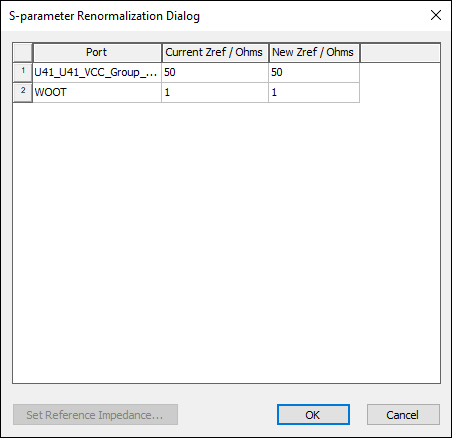
- Renormalize – opens the S- Parameter Renormalization window, where you can modify the reference impedance for one or more ports.
- Display/Hide Mesh – displays or hides a mesh in the Modeling workspace. SIwave uses the finite element method to divide the model into thousands of small triangular regions.
- Display/Hide Coupled Structures – displays or hides coupled structures in the Modeling workspace.
- Display/Hide Q3D 3D Regions – displays or hides 3D regions.
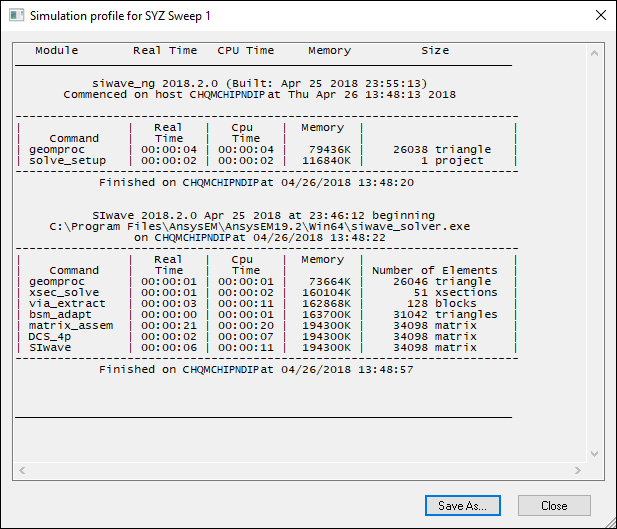
- View Profile – opens the simulation profile.
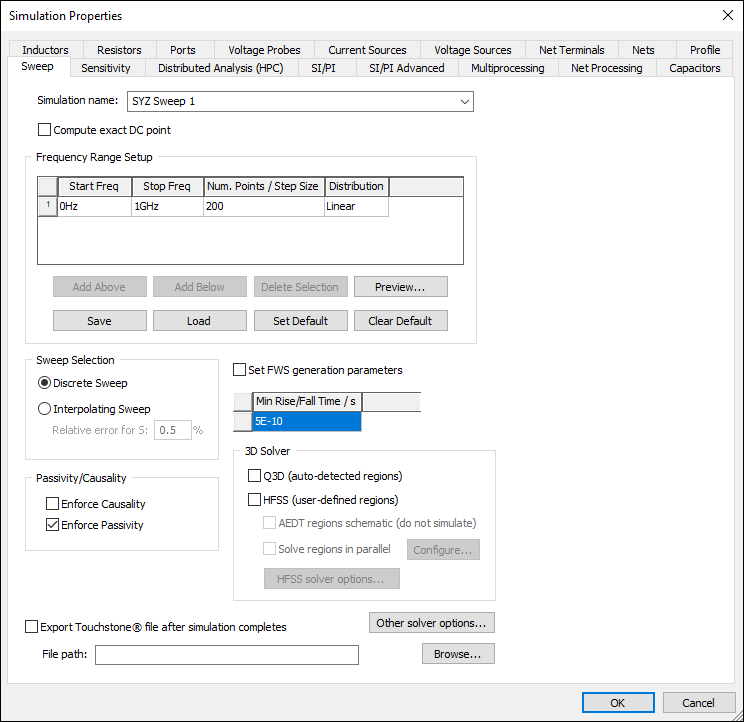
- View Simulation Properties – opens the Simulation Properties window on the Sweep tab.
- Rename Solution – allows you to rename the solution.
- Delete Solution – deletes the solution.
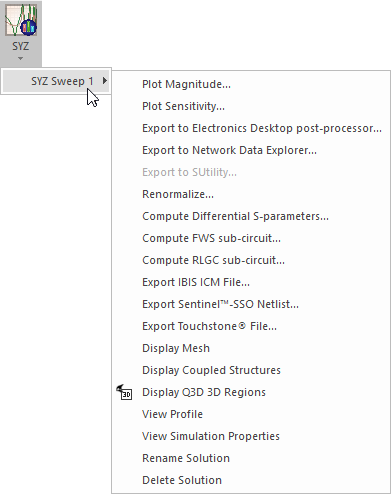
Menu options include:
Renormalize:
Simulation Profile:
Simulation Properties:
From the SYZ results menu, you can also view SYZ results and export certain information.