
Near Field Results Menu Options
Navigate to the Near Field Results menu:
- Click Results.
- From the SIwave area, select Near Field > [Simulation Name].
- Export Near Field Data – exports the solution to Ansys Electronics Desktop and opens it there.
- Export Near Field Face Data to CSV – exports near field face data as a *.csv file.
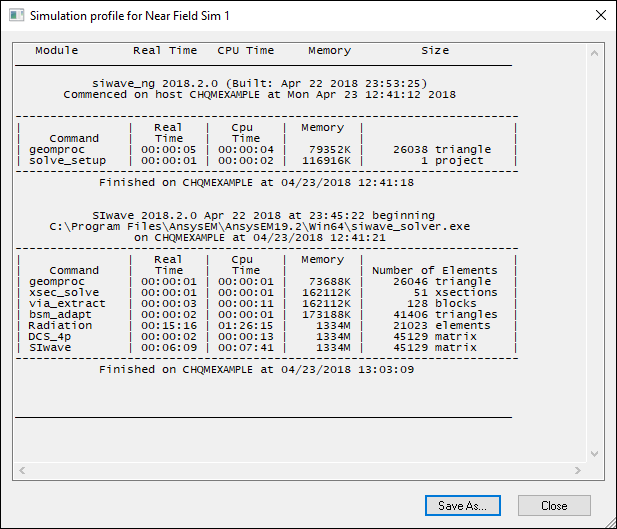
- View Profile – opens the simulation profile.
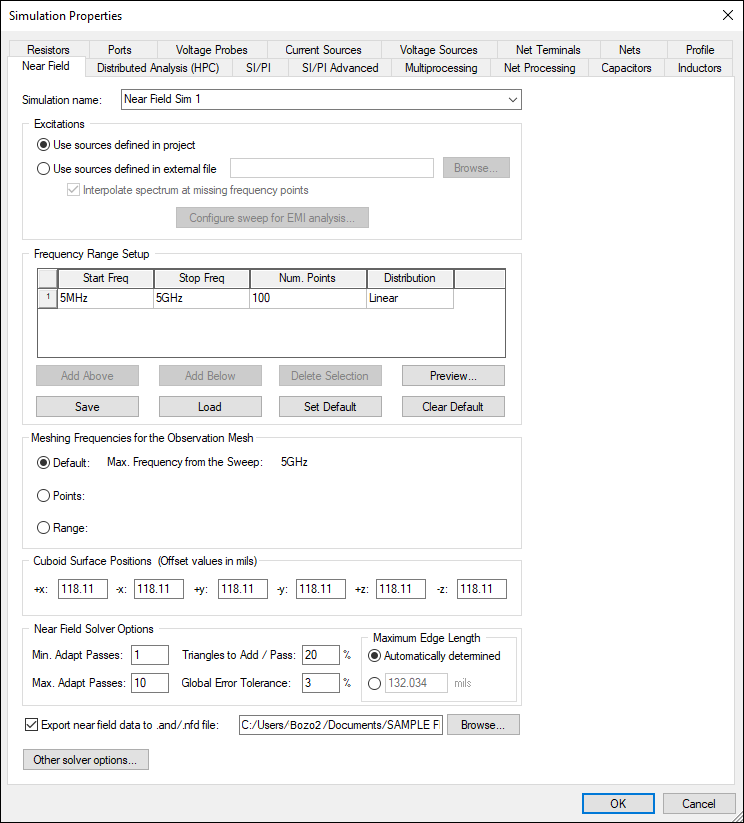
- View Simulation Properties – opens the Simulation Properties window on the Near Field tab.
- View Coupled Structures – displays coupled structures in the Modeling workspace.
- Rename Solution – allows you to rename the solution.
- Delete Solution – deletes the solution.
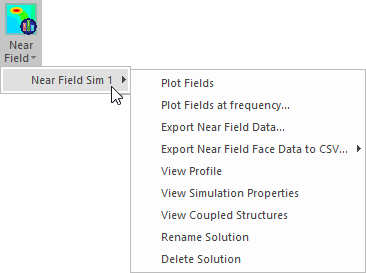
You can also access this menu by right-clicking [Simulation Name] in the Results window.
Menu options include:
Simulation Profile:
Simulation Properties:
From this menu, you can also view near field results or export a near fields animation.