Assigning Thermal and Spatial Modifiers
SIwave supports thermal and spatial modifiers for new or existing materials.
Thermal modifiers allow you to assign material properties that change with temperature.
Spatial modifiers allow you to define spatially dependent materials whose properties change over their length, width, or thickness.
To add a thermal or spatial modifier to a property from the View/Edit Material window:
- Select All Properties.
- Select one or more types of physics to modify.
- Enable Thermal Modifier and/or Spatial Modifier.
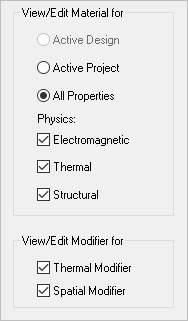
The material properties list updates with a new column for each selected modifier.
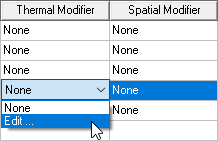
- To add a modifier, select a cell's drop-down menu and click Edit.
The Edit Thermal Modifier or Edit Spatial Modifier window appears.
- Enter the modifier information as described below, and click OK.
- Click OK again to exit the View/Edit Material window.
Thermal Modifiers
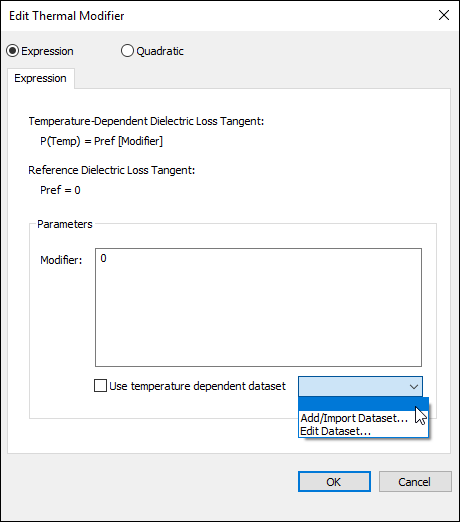
The slides below show different methods of applying a thermal modifier.
|
Select Expression to define an equation for the thermal modifier in the Modifier field.
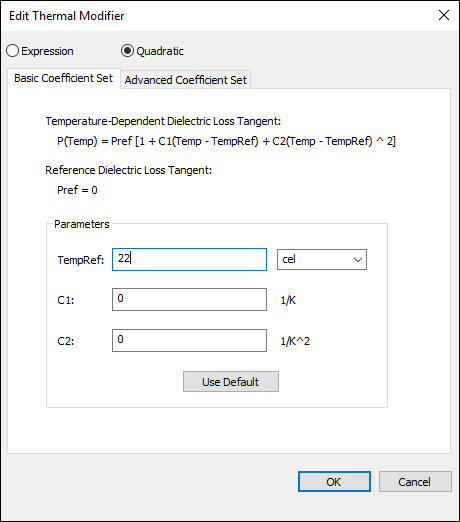
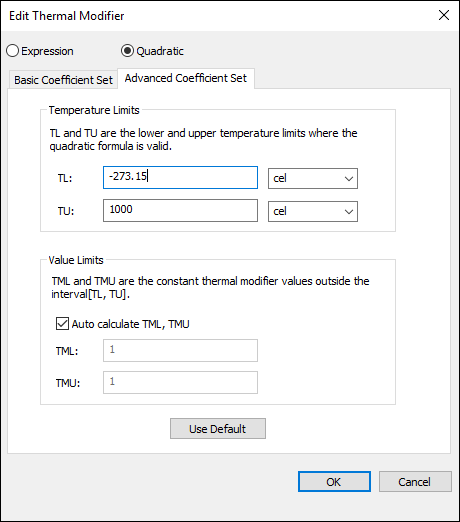
Select Quadratic to define either a Basic Coefficient Set or an Advanced Coefficient Set.
The window displays the formula for temperature-dependent dielectric loss tangent:

The Basic Coefficient Set allows you to edit the TempRef, C1, and C1 values.
The Advanced Coefficient Set allows you to specify the lower (TL) and upper (TU) temperature limits inside which the quadratic formula is valid. It also allows you to specify the lower (TML) and upper (TMU) thermal modifier values outside of the TL and TU.
Spatial Modifiers
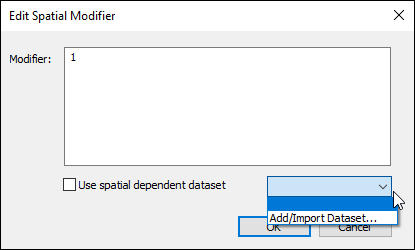
You can type a value for the spatial Modifier as an integer, real number, variable, expression, or dataset in the form "clp($ds1,X,Y,Z)".
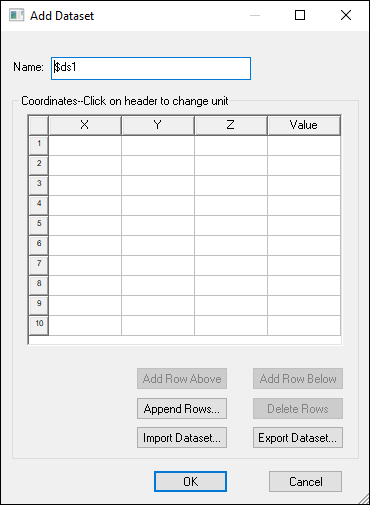
Any existing datasets can be selected from the drop-down menu. Otherwise, select Add/Import Dataset to open the Add Dataset window, where you can specify object coordinates and associated values of the material property: