
Adding a New Material
You can add a new material to the SIwave Materials Library.
To do so:
- From the Home tab, click Edit Materials.
The Select Definition window appears.
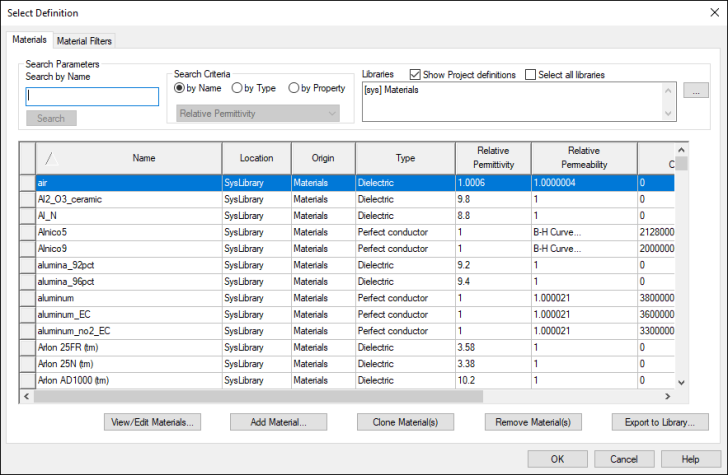
- Click Add Material.
The View/Edit Material window appears.
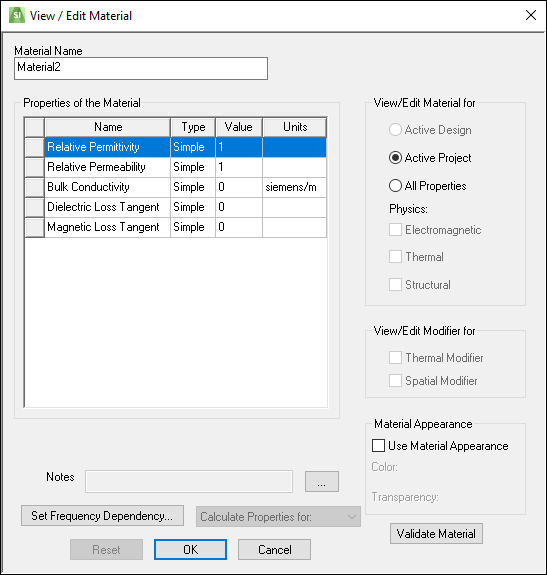
- Enter a Material Name.
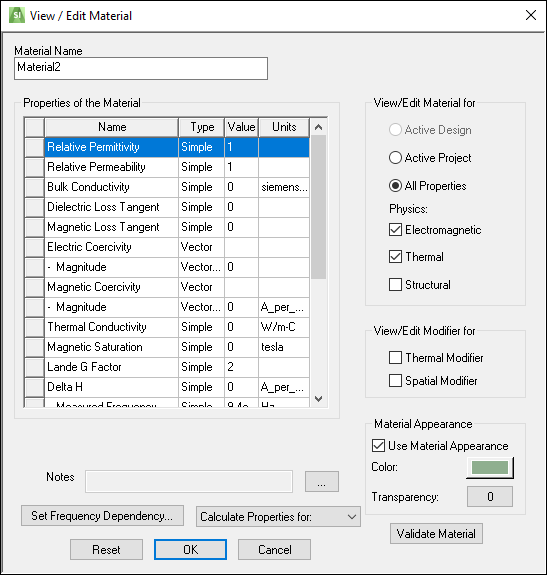
- Under View/Edit Material for, select either Active Project or All Properties. See: Material Properties.
- From the Properties of the Material area, enter values as applicable. See: Material Properties.
- If appropriate, select Use Material Appearance to specify a material color and transparency.
- Click Validate Material. If the material contains valid parameters, a green check mark appears. If the material is invalid, a red X appears.
- If appropriate, click Set Frequency Dependency for frequency-dependent material options. See: Technical Notes.
Note:
SIwave only supports Djordjevic-Sarkar frequency-dependent dielectric models.
- If appropriate, use the Calculate Properties for drop-down menu to calculate properties for a permanent magnet or permanent electric polarization.
- Click OK.