Adding a Circuit Element from the Component Database
SIwave comes with hundreds of preset components from manufacturers like Murata and TDK.
You can add these components to your design, or map your local components to these global ones.
To add an s-parameter circuit element:
- Click Home. From the Circuit Elements box, click the Add S-Parameter Circuit Element icon (
 ).
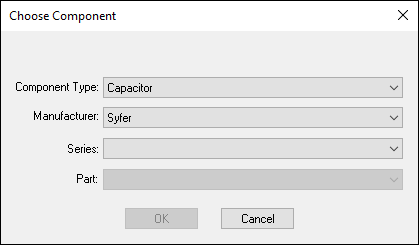
). - From the Component Type drop-down menu, select Capacitor, Inductor, or Resistor.
- From the Manufacturer drop-down menu, select the part manufacturer.
- Use the Series and Part drop-down menus to select your part.
- Click OK.
- From the Modeling workspace, click the location where you want to place the part.
- Drag the mouse to an appropriate length and direction.
- Click to finish drawing.
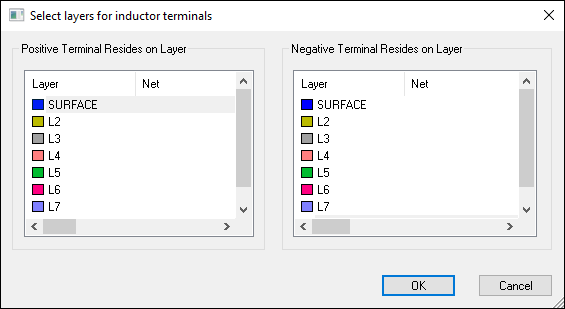
- From the Positive Terminal Resides on Layer list, select the layer for the positive end.
- From the Negative Terminal Resides on Layer list, select the layer for the negative end.
- Click OK.
The Choose Component window appears.
When you finish drawing the part, the Select layers for <part type> terminals window appears.