
SI Xplorer Menu Bar Options
The SI Xplorer menu bar contains the following submenus:
File Submenu
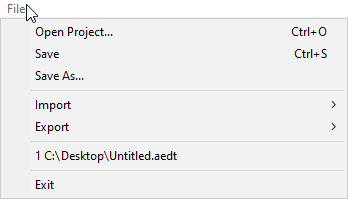
The File menu contains the following options:
- Open Project – allows you to open Ansys Electronics Desktop files (*.aedt).
- Save – saves the current *.aedt file.
- Save As – allows you to specify a name and location to save a new *.aedt file.
- Import – allows you to import an EDB definition file (*.edb), IPC2581 design files (*.xml, *.cvg), or layer Stackup files (*.xml, *.stk).
- Export – allows you to export to EDB, IPC2581, Stackup XML, Stackup STK, or Stackup CSV.
- Recent File – displays a list of recently opened files, if any exist.
- Exit – closes SI Xplorer.
Multizone Submenu
Multizone menu options become available when you select the Multizone stackup type in SI Xplorer. See: Modifying the Layer Stackup using SI Xplorer.
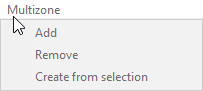
The Multizone menu includes the following options:
- Add – Adds a new multizone in a new sheet.
- Remove – Removes a multizone.
- Create from Selection – Creates a new multizone based on the selection.
Project Submenu
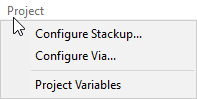
The Project submenu contains options to Configure Stackup, Configure Via, or configure Project Variables.
Configure Stackup
The Configure Stackup menu option launches the Select Stackup Configuration window:
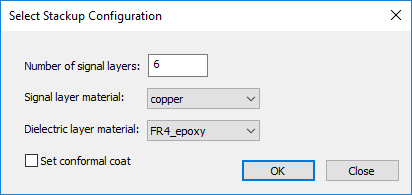
You can set the following default options:
- Number of signal layers – enter a value.
- Signal layer material – select a material from the drop-down menu.
- Dielectric layer material – select a material from the drop-down menu.
- Set conformal coat – select the check box to enable.
Click OK to save the default options.
Configure Via
The Configure Via menu option launches the Configure Via window:
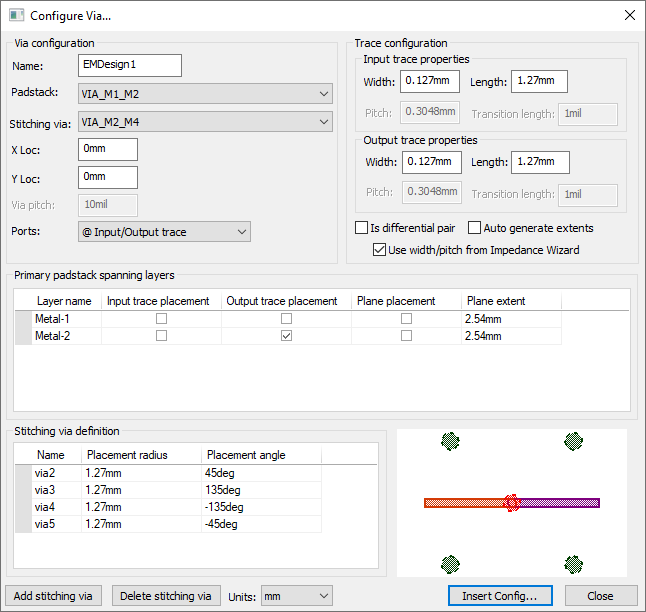
See: Configuring Vias.
Project Variables
The Project Variables menu option launches the Properties window, on the Project Variables tab:
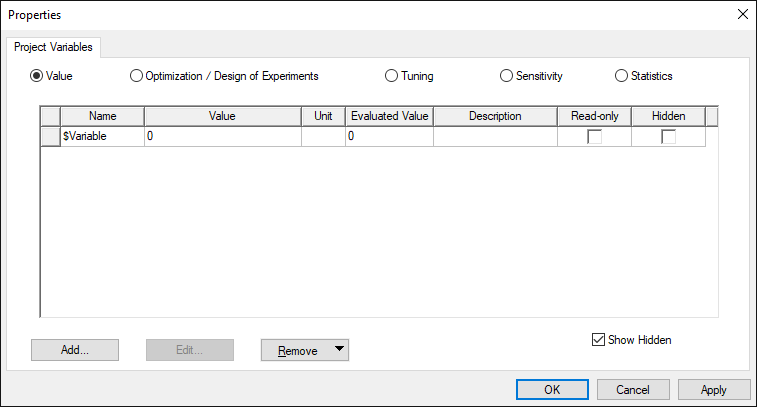
See: Setting Project Variables.
Simulation Submenu
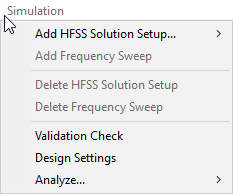
The Simulation menu includes the following options:
- Add HFSS Solution Setup – Allows you to add either an Auto or Advanced HFSS solution setup.
- Add Frequency Sweep – Allows you to add a Frequency Sweep to an existing HFSS solution setup.
- Delete HFSS Solution Setup – Removes a solution setup.
- Delete Frequency Sweep – Removes a Frequency Sweep.
- Validation Check – Verifies that the design is ready for simulation.
- Design Settings – Allows you to change design settings for simulation.
- Analyze – Runs either the Active Setup or All Setups.
Results Submenu
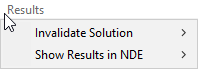
The Results menu allows you to invalidate solution results or show the results in Network Data Explorer. Either action can be applied to the Active Setup or to All Setups.
View Submenu
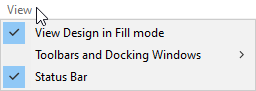
The View menu contains the following options:
- View Design in Fill Mode – when selected, the design displays as solid. When deselected, the design displays as wireframe.
- Toolbars and Docking Windows – contains the following display options:
- Reset Workspaces – allows you to return SI Xplorer to its default view.
- Auto Toggle Workspaces – allows you to synchronize workspaces. When you click on the Impedance Wizard, the Stackup Layers and W-element Plots workspaces become active. When you click the Via Wizard, the Padstack Editor and Network Data Explorer workspaces become active.
- Status Bar – toggles the status bar at the bottom of SI Xplorer.
Help Submenu
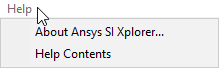
The Help menu allows you to retrieve software information by clicking About Ansys SI Xplorer.
You can also click Help Contents to navigate to the SI Xplorer online help.