
Creating a Tool
When you are defining parameters, the InfoCore property can be assigned to 1, which means the band is used as a tool. This property can be assigned either when creating the band or after creating it. The method for assigning during band creation is discussed in Creating a Band. For assigning after the band is created, click CreateUserDefinedPart in the history tree under the specific band, as shown in CreateUserDefinedPart in the history tree. You can then change the InfoCore property to 1 under Command tab.
A tool is mainly used for subtraction in the model.
For example, if a half model of NonSalientPoleCore UDP is needed, a tool is necessary to be used to subtract half of NonSalientPoleCore.
First, create a tool.
- Click Draw > User Defined Primitive > RMxprt > Band.
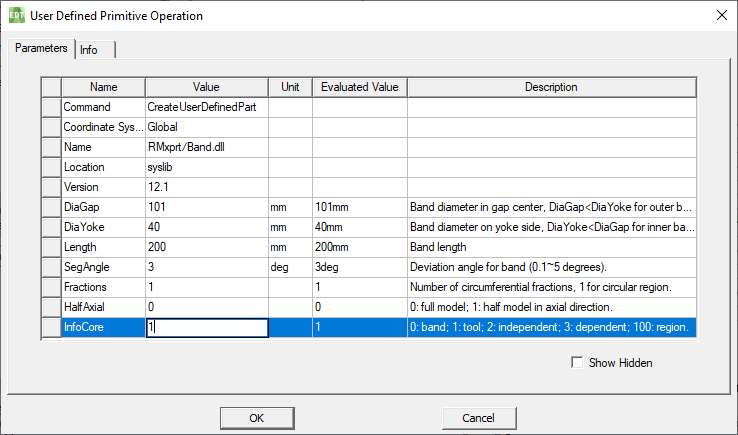
- Change DiaGap and DiaYoke values to set the DiaGap value to be less than the DiaYoke value.
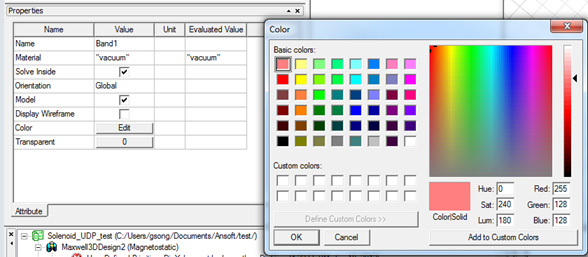
- Set InfoCore value to 1 and change the Color of the tool to another one in order to distinguish the tool from the NonSalientPoleCore, which is created later.
- Click Draw > User Defined Primitive > RMxprt > NonSalientPoleCore.
- Click OK to finish setting the parameter.
Set the values of parameters to create a tool:
Change the color of the tool:
Then, create a non-salient pole core.
The coordinate system window looks similar to the following figure:
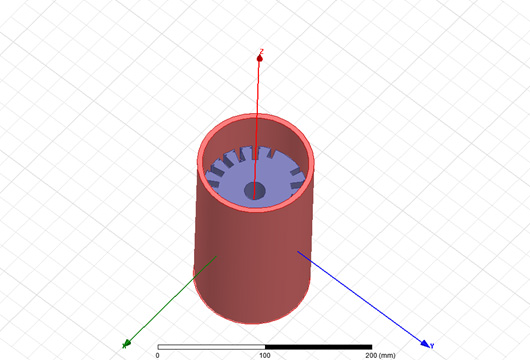
Non-Salient Pole Core (gray) with a tool
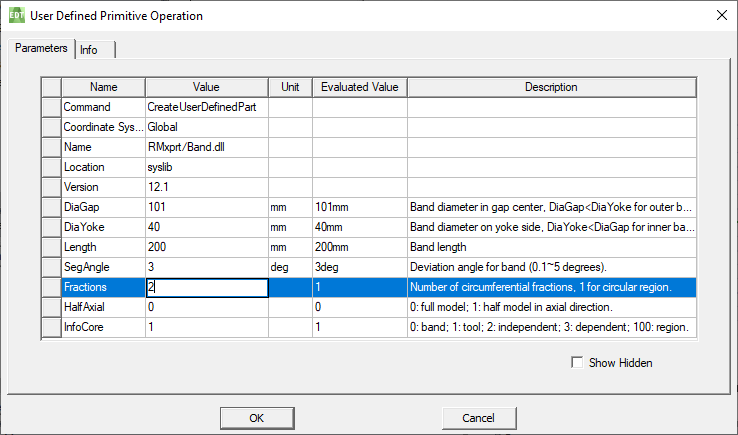
Change the Fractions of the tool to 2.
- Click CreateUserDefinedPart in the history tree under the tool (named Band1 in the figure).
- Change the value of Fractions to 2.
- Click OK to finish setting the
parameter.
The last step is to subtract the non-salient pole core using the tool.
- Choose NonSalientPoleCore1 and Band1 (tool) simultaneously by pressing Ctrl on the keyboard.
- Click Modeler > Boolean > Subtract
to do the subtraction.
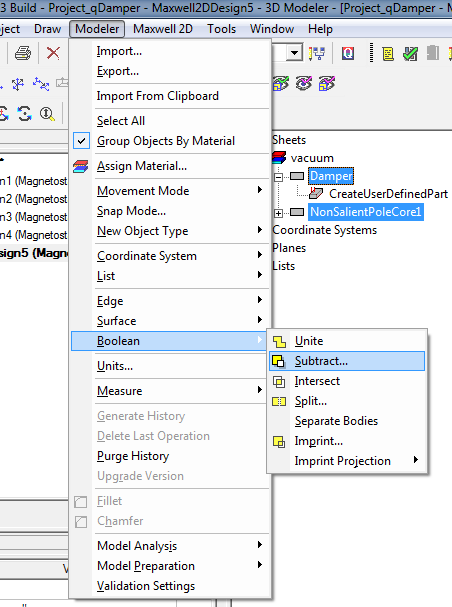
A Subtract window appears.
- Choose NonSalientPoleCore1 as the Blank Parts and Band1 as the Tool Parts.
- Click OK to finish subtraction.
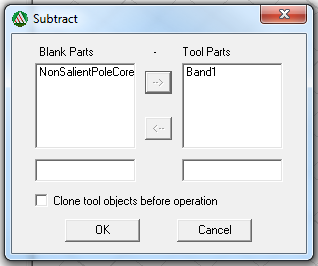
Set Blank Parts and Tool Parts
The final Non-Salient Pole Core is shown in the coordinate system window in the following figure:
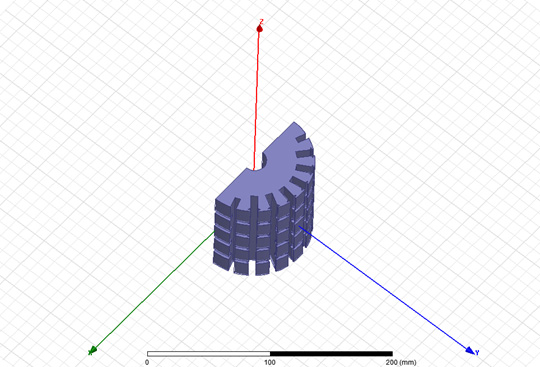
A non-salient pole core after subtraction