
Normal Command
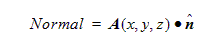
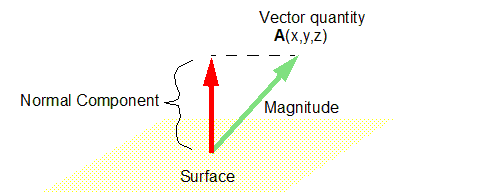
Computes the normal component of a vector quantity on a surface such as a cutplane or object surface. This is the equivalent of taking the dot product of the quantity with the surface's unit normal vector:
To take the normal of a vector:
- Load a vector quantity into the top register.
- Load a surface into the top register using the Geometry/Surface command.
- Click Normal.