
Adding VerifEye Setup in HFSS 3D Layout
- From the Project Manager window, expand the Project Tree and [Active Design Folder]. Then right-click Analysis and select Add Nexxim Solution Setup > VerifEye Analysis to open the VerifEye Analysis window.
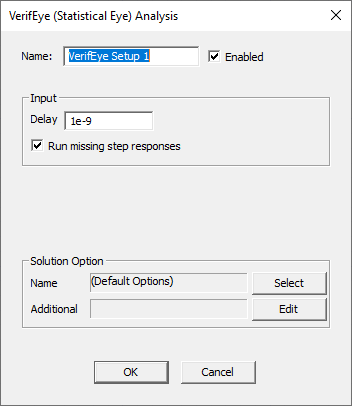
Type a Name (or accept the default name, e.g., “VerifEye Setup 1”).
Leave the Enabled area selected (default setting).
Specify the Delay to be applied before the step response is applied (default is 0 seconds).
Run missing step response allows simulation to proceed when an External Step Response component is present in the design but no step response data file can be found.
VerifEye Analysis Outputs
For information about VerifEye analysis outputs, refer to Circuit Time Domain Analysis: Display VerifEye Analysis Outputs.
Run the VerifEye Analysis and Display Results
For information about running VerifEye analysis, refer to Circuit Time Domain Analyses: Run the VerifEye Analysis and Display Results.