
3D Modeler Options: SpaceClaim Link Options
Under 3D Modeler options, SpaceClaim Link options determine how linked SpaceClaim projects are imported.
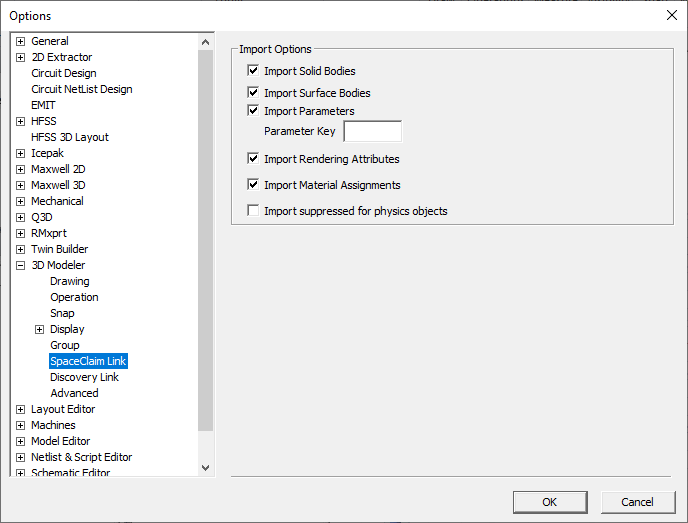
To specify SpaceClaim link settings, select or clear the following check boxes in the SpaceClaim Link section:
- Import Solid Bodies – Enabled by default.
- Import Surface Bodies – Enabled by default.
- Import Parameters – Enabled by default.
- Parameter Key – A string used to filter out parameters. By default no string is entered and all SpaceClaim parameters are imported.
- Import Rendering Attributes – Imports the color of objects. Enabled by default.
- Import Material Assignments – Enabled by default. Note that this imports material assignments by not material properties. A material with exact name must already exist, otherwise, validation issues a violation.
- Import suppressed for physics objects – By default, this is deselected and objects suppressed for physics are not imported. To enable, select Import suppressed for physics objects, and refresh the SpaceClaim link. Suppressed objects are imported as non-model objects. Once imported, you can change them to model objects, if desired.