
Specifying Solution Settings
Specify how Ansys Electronics Desktop will compute a solution by adding a solution setup to the design. You can define more than one solution setup per design.
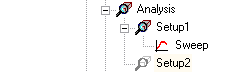
Each solution setup includes the following information:
- General data about the solution's generation.
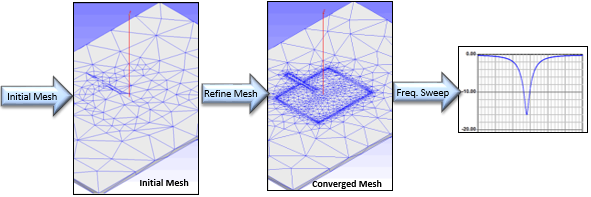
- Adaptive mesh refinement parameters, if you want the mesh to be refined iteratively in areas of highest error.
- Whether to Save Fields (the default) and if so, whether to save Save radiated fields only. You must save fields for fields post processing, plotting and animating plots.
- If you want to solve of a range of frequencies, you can add a frequency sweep.
What do you want to do?
- Add a Solution Setup to an HFSS Design
- Add a Solution Setup to an HFSS Design with Hybrid and Arrays
- Add a Solution Setup to an HFSS Transient Design
- Add a Solution Setup for an SBR+ Design
- Add a Solution Setup for an Eigenmode Design
- Add a Characteristic Mode Analysis Setup and Generate Reports
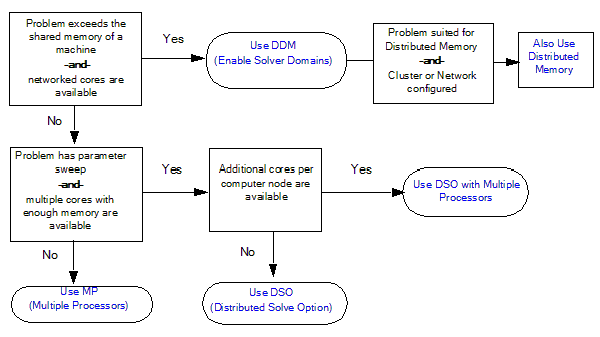
For large problems, depending the whether the solution
involves a parameter sweep and your resources of shared machine memory,
networked cores and cores per computing node, you can configure for
different high performance computing solutions:
Additionally, a command line Large Scale DSO is used for 'large scale parallel' jobs, which either fail or scale poorly as Regular DSO jobs. A Large Scale DSO job does not support the output of full parametric results, but produces 'reduced' datasets corresponding to predefined Rectangular plots.