
Post Processing: Wave Ports
The Post Processing sub-panel has options to renormalize the port to 50 ohms (or any other desired value) or just accept the default option Do Not Renormalize and also the Distance field to de-embed a port into or out of the model as needed.
A Wave Port: Post Processing panel is shown below.
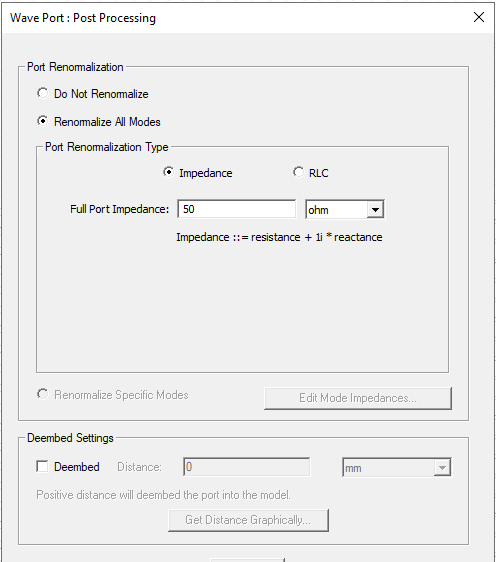
The Port Renormalization choices include:
- Do Not Renormalize: This is the default.
- Renormalize All Modes: Enables the Port Renormalization selections for Impedance and RLC.
The default impedance for re-normalization of each mode is 50 ohms.
If you select Impdence, complex impedance should be entered in the
form: <re> + <im>j or
<re> + <im>i. Either j or i entered into the field is displayed as i in the field
and in a recorded script. See figure below.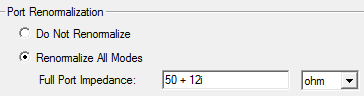
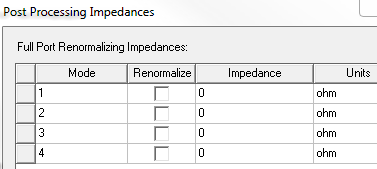
- For multiple modes, the Renormalize Specific
Modes is enabled, causing the Edit Mode Impedances button
to be active. Click this button to renormalize the impedance of desired
modes.
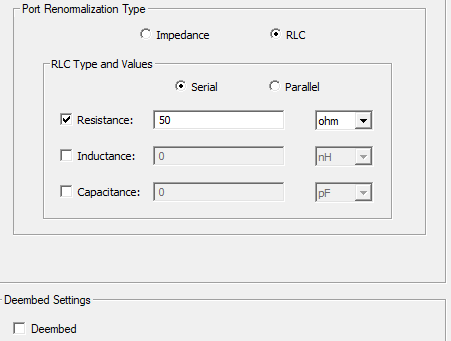
If you select RLC, you can specify Resistance, Inductance, and Capacitance and designate the RLC type as Serial or Parallel.
Enter the Deembed
distance in the field or draw a line on the model to represent the distance
and get it graphically. You can also assign a variable
in the Distance field.
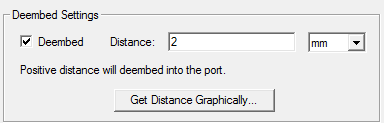
The orientation of the Deembed arrows in the modeler is determined by the modeler direction of the normal of the face where the port is defined. From the standpoint of the S-parameters what is correct is the sign of the deembed distance.
- A positive distance value will deembed the port into the structure. A negative distance value will deembed the port out of the structure.
- Make sure you are not creating a non physical situation when you deembed cutoff modes. For example, when you enter a positive distance to deembed a port with a cutoff mode into the model the resulting field values for that mode can be very large.