
Editing The Global Material Environment
For HFSS, the Boundaries>Edit
Global Material Environment command displays the Global Material
Environment dialog box. You can access the command via both the Tools
menu and via right-click Boundaries
in the Project window for the shortcut menu.
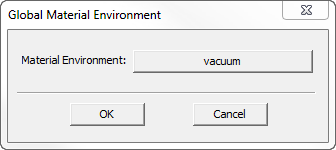
By clicking the Material button, you can access the Select Definition dialog box. This lets you work with the materials library.
This setting tells HFSS what material properties to use when calculating far fields. The default setting is vacuum. If you simulate an antenna underwater, for example, you should set the GlobalMaterial Environment to water.
Selecting anisotropic material is disabled because the solver doesn't support that.
See additional discussion of the effect this setting has on calculations in Global Material Environment.