
Global Material Environment
A plane wave is described by the following equation.

The k vector also depends on the material of the radiation boundary. More precisely it is the wave number of the global background material.
You can set the global material environment which is otherwise vacuum by default. Right-click Boundaries and select Edit Global Material Environment to bring up the dialog box.
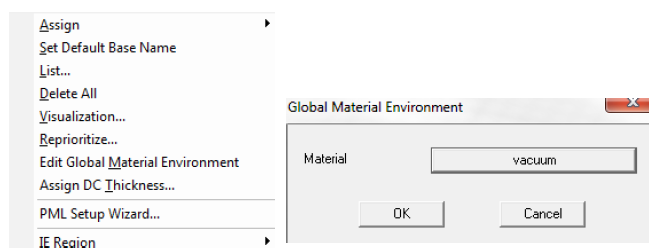
The material specified in the Global Material Environment panel can impact an HFSS design in the following three areas:
- All incident waves except evanescent plane waves and near and far field links are assumed to have been generated in the global background material.
- All fields outside the computational domain are obtained using the global background material.
- The currents on exterior HFSS-IE regions are computed assuming the global background material.
The PML and simple ABC are constructed assuming the interior material touching the radiation surface is the same as the exterior global background material. The actual material used is the interior in this case in order to allow different materials to be in contact with the radiation surface as is the case when truncating the substrate of a PCB design. To obtain consistent results when viewing fields outside the computational domain, ensure that the interior material touching the radiation surface is the same as the global background material.