
Assigning (SBR+) Perfect Absorber Boundaries
The Assign Boundary>Fresnel (SBR+) command allows you to specify a perfect absorber.
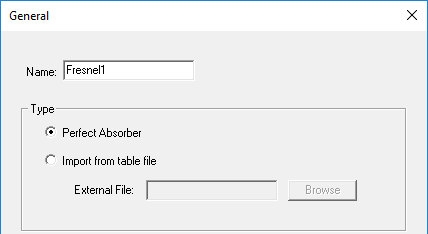
Perfect Absorber: Incident SBR+ rays are absorbed by surfaces with this boundary, and no reflection or transmission rays are generated.
This does not imply that there is no radiation from surface currents on perfectly absorbing boundaries. The perfect absorber still generates very strong forward scattering. This scattering is associated with the incident GO ray fields at the surface. These ray fields are converted into equivalent currents at the surface that are radiated to observation angles and receiving antennas in any direction (including the backward direction); it tends to be strongest in the forward direction. At the same time, since the reflected ray has zero field strength (and therefore no reflected ray is traced), the equivalent surface currents associated with the reflected ray are also zero, so scattering in the backward half-space is weak.
The Fresnel (SBR+) Import from table file option lets you directly load the Fresnel tables from an external file.