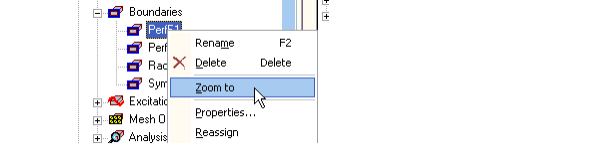
Zoom to Selected Boundary
To zoom to a selected boundary, right-click a boundary name in the Project and select the Zoom to command on the pop-up menu. This zooms the view in the Modeler window in or out to show the selected boundary. The current orientation does not change. This can be very useful checking the assigned geometry.