


| Multiple Occurring Events | The modeling of reoccurring events has been completely redesigned in V3.4. While transfer gates can be used as general referencing technique for events and branches, individual multiple occurring events (MOEs) are now supported directly. For convenience, a counter indicates how often the event occurs: 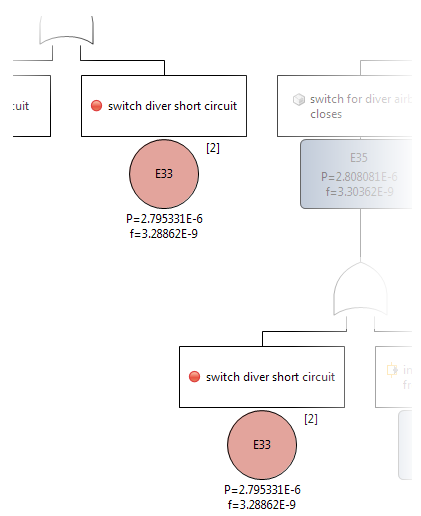 |
| Event Outline View | During development of a fault tree, the lookup of a basic events and potentially repeating events can now be shown in an outline view. Hence, the outline view provides quick access to existing and frequently reused information. Not that it can be activated under Window | Show View -> Outline View and looks like follows: 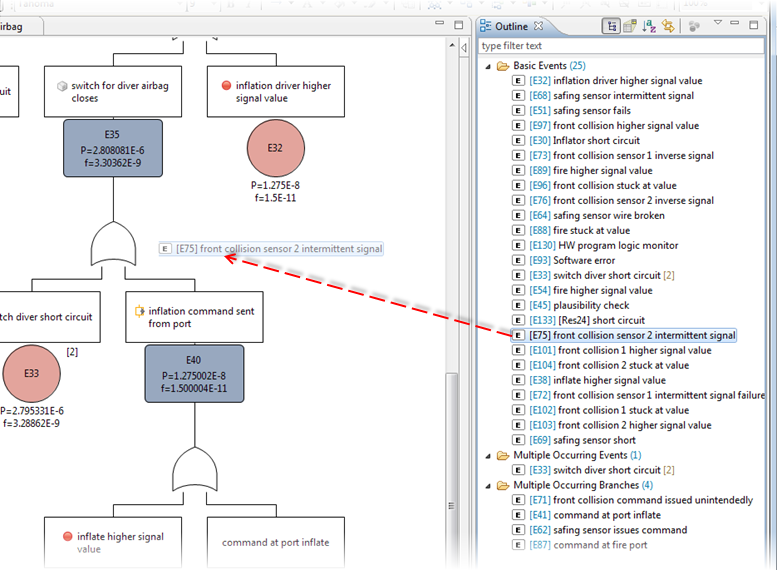 Drag and drop into the fault tree is supported in order to quickly create MOEs of or transfer gates to existing events. |
| Drop-Insert of nodes on connections | Development of fault trees is an iterative and creative task that requires often changing and refining existing branches. For this purpose events and gates can now be dropped onto existing connections to insert nodes on the fly between two events/gates: 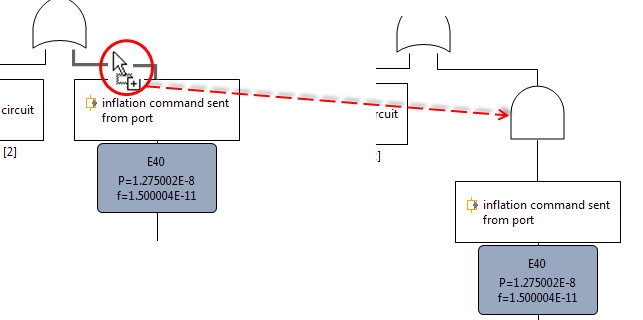 |
| Improved Layout and Event settings | Earlier versions of medini analyze had only basic support for the automatic layout of fault trees and especially the layout of text boxes of events could not be adjusted to a convenient size. The new version supports an improved auto-layout, line routing, and event text box sizing to reduce tedious manual work. |
| Event decoration and label options | If events are derived from system elements or safety mechanisms, the element icon can now be shown to easily identify what the event is referencing, e.g. a malfunction, a failure mode, a safety mechanism, a component, etc. This eases the visual recognition and structuring of the fault tree. Moreover, intermediate event ID labels can be hidden in order to save diagram space, e.g. in case a qualitative fault tree is developed or if gate labels are used instead of intermediate event IDs. 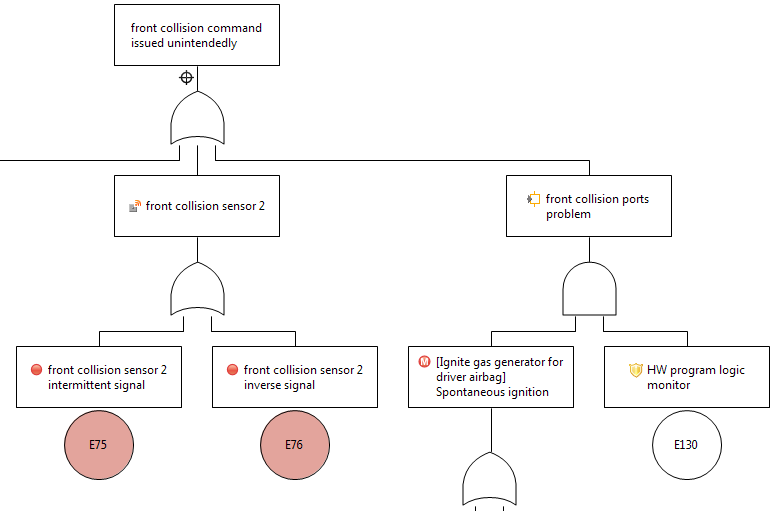 |
| Hidden elements indication | Events, gates, and whole subtrees that are hidden from a fault tree diagram are indicated in the new version by a so called "hidden elements decorator". Thereby users can easily recognize that a fault tree is truncated on a diagram for graphical purposes (e.g. outline presentation), but the tree is actually continued and further developed in the FTA model: 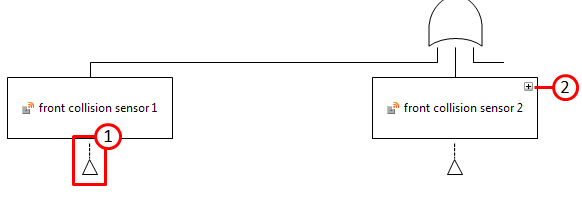 (1) shows the new decorator as indicator that the event is further developed, but elements are not shown on the diagram. (2) is the normal folding indication that shows the temporary hidden subtree. |