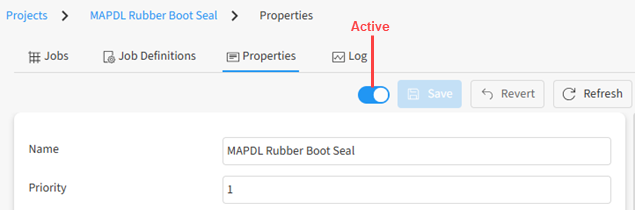
By default, a project becomes active as soon as it is created. When a project is active, configured evaluators check for pending jobs that they can pick up and evaluate. If you make a project inactive, evaluators will complete any tasks currently underway but then quit checking the project for pending tasks.
To make a project active or inactive:
Open the project.
In the path at the top of the page, click the project name.
In the project details view, select the Properties tab.
Click the toggle on the toolbar: