To ensure compatibility with the Envyo application's mapping process, configure the LS-DYNA simulation as follows:
Set POSTV = 63 to activate 26 additional history variables (NXH) as shown in Figure 4.2: Output Order and Number of History Variables.
Define a *.dynain file output using:
*INTERFACE_SPRINGBACK_LSDYNA
$#     psid     nshv     ftype     -     ftensr     nthhsv     rflag     intstm
        1        31        0       0        0         0          0          0
PSID: Part-set ID for dynain output.
NSHV: Number of history variables to write to the
*INITIAL_STRESS_SHELLkeyword.
Set MAXINT = 5 in
*DATABASE_EXTENT_BINARYto match the number of integration points.
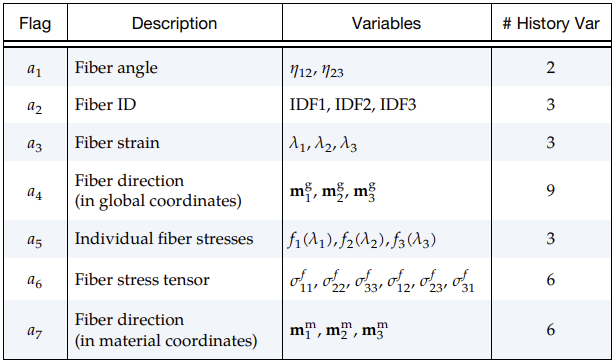
These settings ensure that fiber orientation and stress data are correctly stored and available for mapping.
For information on LS-DYNA application specific settings, see LS-DYNA User's Guide.
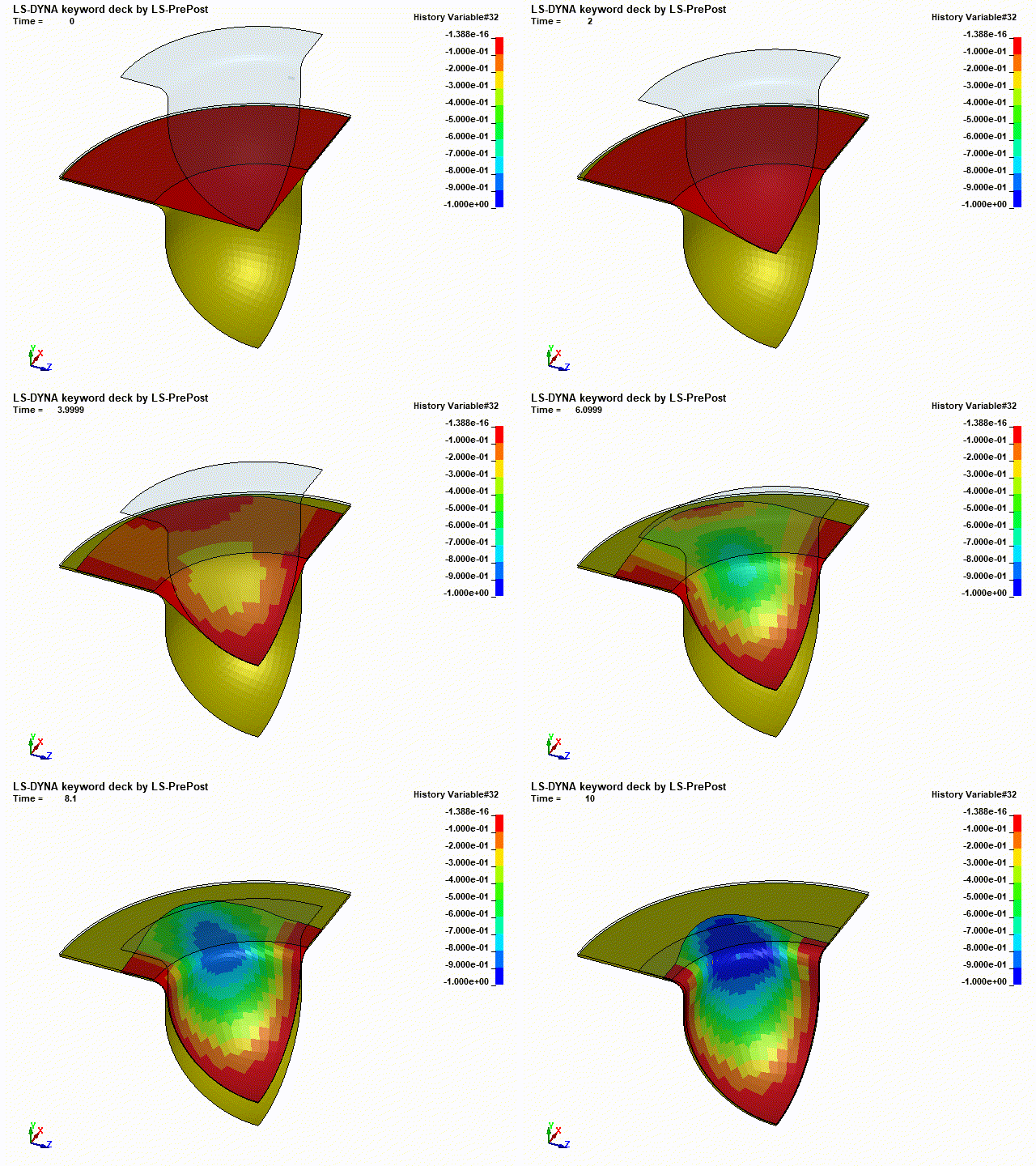
The simulation result below shows the change in the shear angle between fibers 1 and 2.