


Regarding the limitations of SPH Adaptive, in this section we mention loss of mass near boundaries, truncation error due to single precision and an IISPH solver limitation.
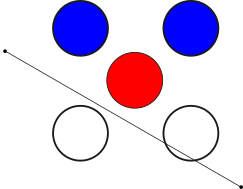
Loss of mass can be observed in some simulations using the SPH Adaptive Sizing feature. When the FreeFlow solver tries to refine elements near the wall, there is a chance of one refined element to be put inside or over a boundary (wall), as shown in Figure 2.7: Mass loss observed by refinement near walls.. To address this limitation, the refined elements will be excluded from the simulation. A workaround for this situation is to use ROI as a refined method instead of boundary proximity.
The FreeFlow solver is a code with single precision, consequently issues regarding truncation errors can appear in simulations that employ SPH Adaptive Sizing. Specially if the initial SPH Element Size is about 5 or more decimal digits.
For simulations with SPH Adaptive Sizing and IISPH solver, pressure fluctuations affect the simulation results. To address this limitation, a new feature (Relaxed Incompressibility Constraint) on Ansys FreeFlow was implemented. Combining SPH Adaptive Sizing, IISPH solver and Relaxed Incompressibility Constraint better simulation results can be achieved. For the other solvers, WCSPH and DFSPH, the pressure fluctuations are not significant as in IISPH simulations.
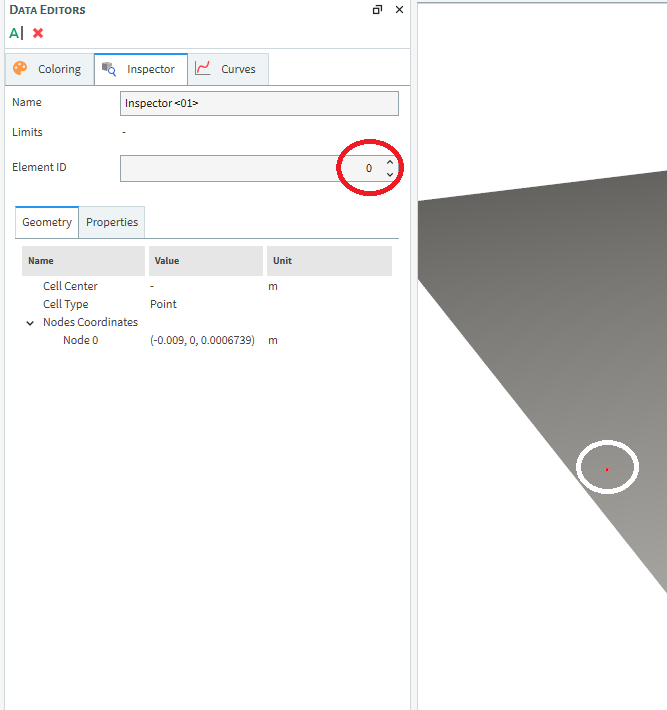
Another limitation, when post-processing simulations, is the Element ID of the SPH elements. We advise you to be careful tracking elements in SPH simulations. Because the numbering system is not constant during the refinement process. Right now, the Element ID numbering is made starting with non-refinement elements and then refined elements ID. For example, consider a simulation with adaptive and just one SPH element as shown in Figure 2.8: Inspector and initial simulation.Before the element enters the refinement region, the SPH element will have an ID equal to 0.
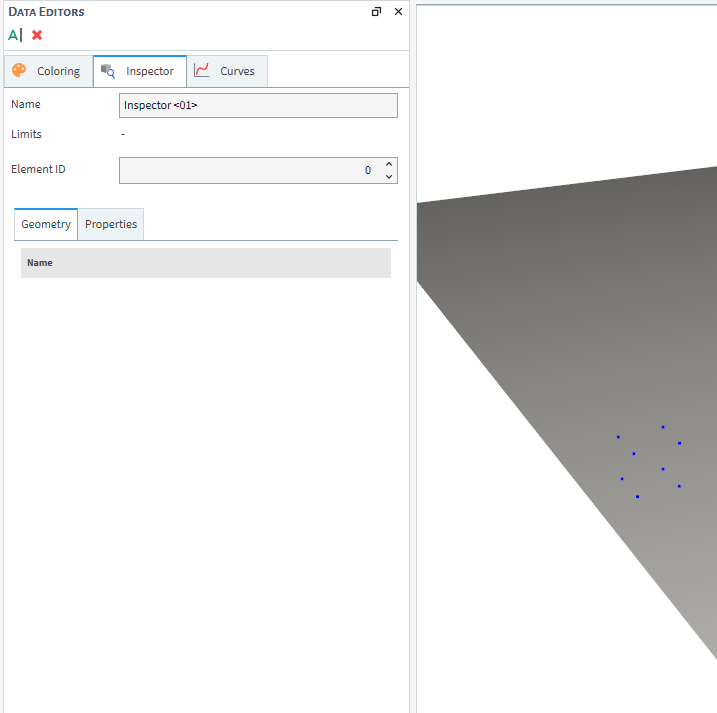
After the refinement process, the Element ID 0 will be eliminated as shown in Figure 2.9: Inspector and simulation after the refinement process (Element ID = 0). This is done, because the first values of Element ID are reserved to non-coarsened elements, which will be eliminated from the simulation.
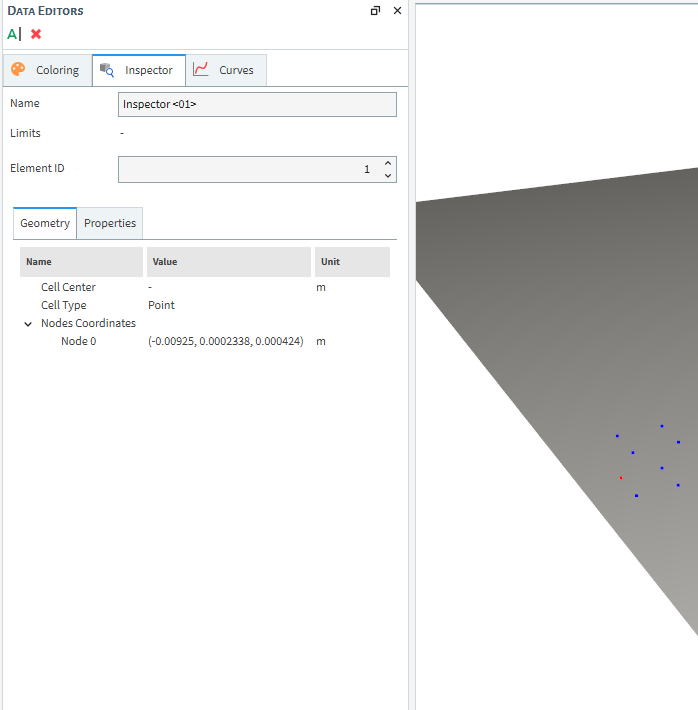
For our simulation with one SPH element, the ID of the refined SPH elements will be 1 to 8, seeFigure 2.10: Inspector and simulation after the refinement process (Element ID = 1). Then, if one wants to track the SPH elements they should change the Element ID value to match those that concerns to refined SPH elements.
Because of that ID numbering, we do not recommend you to use the Element ID tracking inspector. Considering that there are IDs that will not be available after and before the refinement process. Besides that, the numbering is reorganized at each refinement iteration complicating the analysis. However, if you want to identify if an SPH element was refined or not, it is easy doing by the inspector. If the original Element ID of the SPH element was eliminated from the simulation, it means that the element was refined.