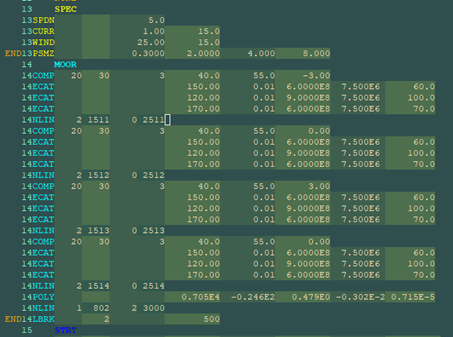
The Hydrodynamics systems in Workbench support the import of data from Aqwa models defined using the Aqwa solver input format contained in files with the .DAT extension. The syntax for this format is described in the Aqwa Reference Manual.
An Aqwa .DAT file is divided into a number of sections, called data categories, which contain the information needed by the solver to perform an analysis. The Workbench Aqwa editor is capable of reading some of that information in order to create the corresponding objects in the Workbench project's Outline tree.
To import data from an Aqwa solver input file:
Create a new Workbench project and add a Hydrodynamic Diffraction system, and any linked Hydrodynamic Response systems as required, to the Project Schematic.
Attach a geometry, or a dummy geometry, to the system and open the Aqwa editor.
Note: To import the Aqwa solver input file, a dummy geometry is required if there is no geometry in the project. This dummy geometry may be suppressed if not required in the subsequent analysis.
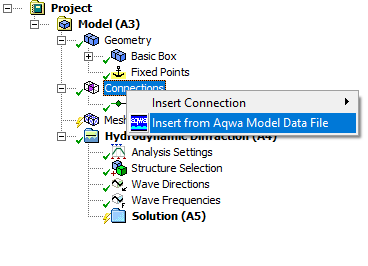
In the Outline tree, select the branch under which you want to add the objects corresponding to the information you want to import from the file. Right-click the branch and select Insert from Aqwa Model Data File.
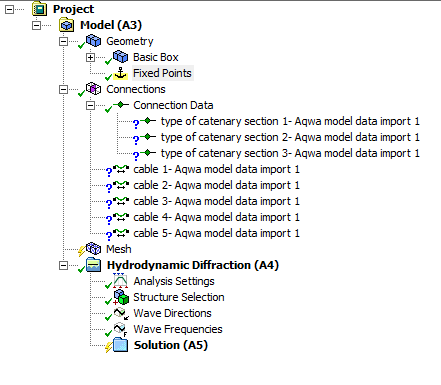
Browse to the file containing the information you want to import and select it. The program then loads the input file, analyzes its contents, and selects the part of the contents which are relevant in the context of the selected tree item. In this example the tree object is Connections, which can import Cables, Joints, and Fenders. It then creates objects in the tree that correspond to the data in the file.
Note: The Aqwa solver input file does not specify units. Be sure that the Hydrodynamic Solver Unit System selected in the Details of your Project are appropriate for the model you are importing.
In the example given of Insert from Aqwa Model Data File in the Connections object, the created items are shown as incomplete. Looking at their details shows that some information is missing:
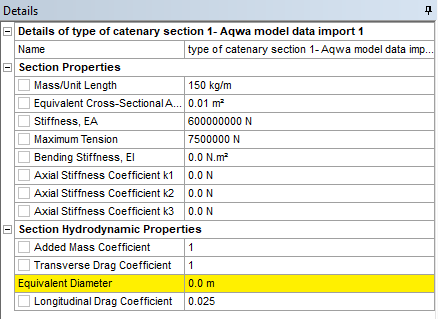
The information was missing from the input file used.
Once you have added the missing information to the Catenary Sections, the objects show as up-to-date.
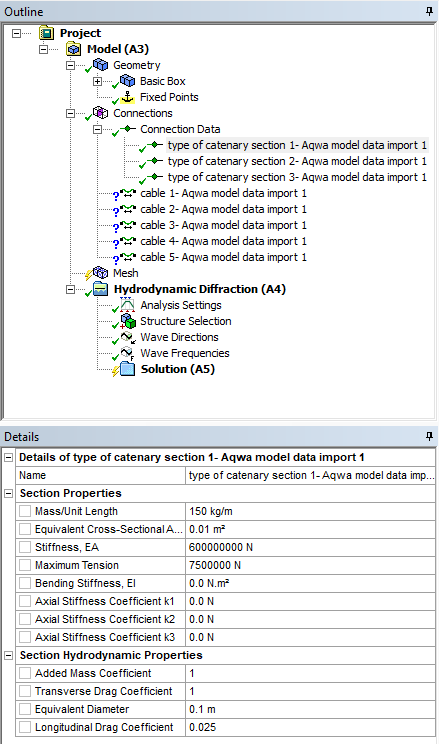
The cables are still showing as incomplete. Looking at their details shows that the connection points are undefined.
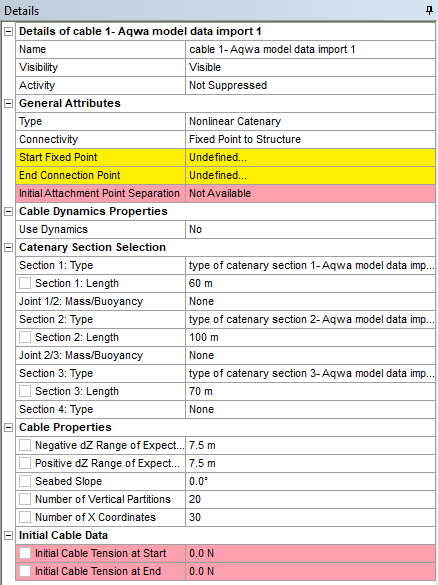
The connection points are undefined because the import was initiated from the Connections object in the Outline tree, which does not include the Geometry branch where the attachment points have to be defined. Selecting a particular tree item for initiating the import operation allows you to select which part of that information you want to include or to exclude from the process. The table below summarizes the extent of the import depending on the tree item selected at the start of the process.
| OutlineTree Object Selected when Starting The Import process | Information Read from the Input File | Objects Added to the Tree |
| Project/Model | All Items in the column below. |
All items as listed in the column below, with the following differences: Cable/Fender/Joint/Force definitions, with the corresponding Connection Points on structures and Fixed Points, as well as full catenary definitions (type of catenary, buoys, clump weights). If there are multiple hydrodynamic systems in your project, objects created (imported) under Project or Model are duplicated for each analysis as the program has no way of deciding to which specific analysis they should belong. |
| Geometry | Nodes, elements and structures. | Parts, Bodies, Point Masses, Point Buoyancies, Wind Force Coefficients, Current Force Coefficients. |
| Connections | Cable, Catenary, Fender, and Joint definitions. | Cable/Fender/Joint, without the corresponding Connection Points on structures and Fixed Points, and without fender and joint axis directions. |
| Connection Data | Catenary definitions. | Catenary definitions (type of Catenary, Buoy, Clump Weight). |
| Analysis | Winch; Cable Failure; Point Force of constant magnitude and direction; Current, Wind, and Wave definitions (either regular or irregular); Deactivated Freedoms. | Cable Failure. Cable Winch. Point Force of constant magnitude and direction. Current, Wind, and Wave objects. Deactivated Freedoms. |
Note:
New parts created through importing Geometry information cannot be shared with any other Ansys system by using a link between the Geometry cells on the schematic. Any non-Aqwa downstream system added on the Workbench schematic will be unable to see them. Also, their mesh is fixed and cannot be modified as it corresponds always to the panels defined in the original input file.
If the imported Current and Wind Force Coefficients matrices are defined as symmetrical in the Aqwa data file, the corresponding table entries will be filled out in the Workbench system objects.
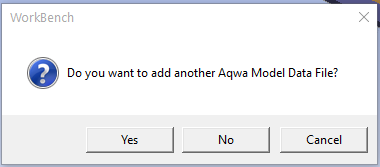
Importing the information at the Project level implies that the input files contains all the corresponding data categories. This is possible if the imported Aqwa model data file covers the analysis stages 1 to 5. Since the Aqwa solver allows the analysis stages to be split over several files (for instance a first file containing the definitions for the analysis stages 1 to 3, and a second file covering stages 4 to 5), you may either merge these multiple files into one single file in order to import all of the information at once, or import one file for the analysis stages 1 to 3 and add another file for the analysis stages 4 to 5 by clicking in the dialog and selecting the second import file.