Use a result to evaluate contact conditions for status and pressure. For more information, refer to Contact Tool and Contact Results.
Limitations
For Status, there is no distinction between and conditions for non-contact areas. They are always displayed as .
Selection of contact regions in the Worksheet is not supported. If the is used with the Worksheet method, the results are always evaluated for all contact regions.
Pressure results cannot be evaluated for Contact Region objects of the or types.
Motion provides Pressure as one of the consequences of contact, but be aware that this pressure result may not be accurate if one or more of the following three conditions apply:
The face of the element used for contact is rectangular and quadratic in rigid bodies.
Nodes are at the edge of the surface.
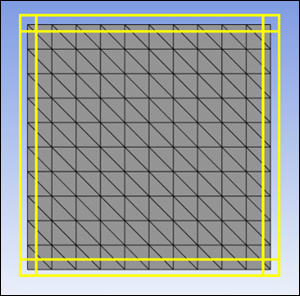
This can occur in any element type. See the figure below, highlighting such nodes with a yellow box.
When using an internal point.
This can occur in any element type. See Contact Properties for a detailed explanation of internal points.