Choose > > from the menus.
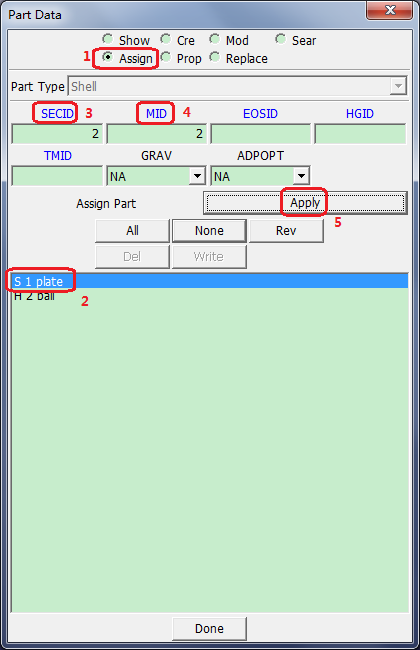
Select Assign.
Select S1 plate from the list.
Click in the bottom panel, then select 2 plate section and click in the Link SECTION dialog.
Click MID in the bottom panel, then select 2 material for plate and click in the Link MAT dialog.
Click Assign Part: in the bottom panel.
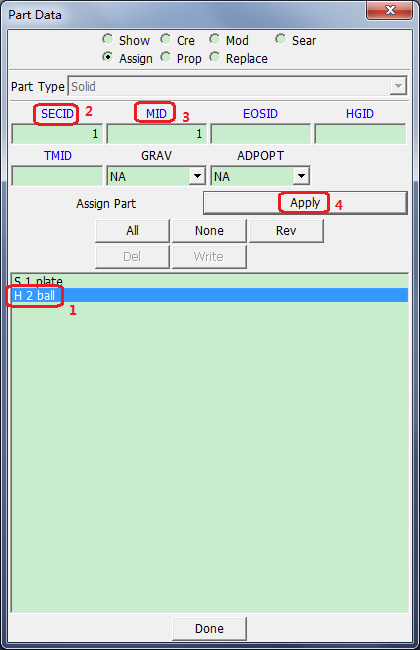
Select H2 ball from the side panel list.
Click in the bottom panel, then select 1 rigid section, and click in the Link SECTION dialog.
Click in the bottom panel, then select 1 rigid material for b, and click in the Link MAT dialog.
Click Assign Part: in the bottom panel.