


In this tutorial, you will generate a Mesh for external flow over a simple 2D Car profile residing in a wind tunnel. The 2D Car geometry is shown.
Replay Control will be employed for recording all the blocking steps. Later, the replay (script) file will be run to block and mesh a modified geometry.
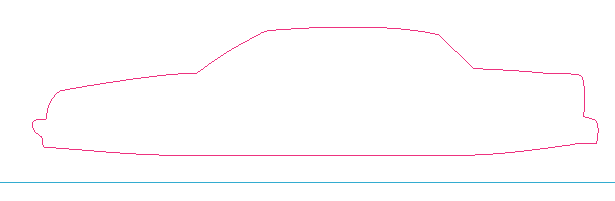
This tutorial demonstrates how to do the following:
Create Blocking to Resemble the Geometry
Fit the Blocking to the Geometry
Align the Vertices
Set Mesh Parameters and Initialize the Mesh
Create an Ogrid
Refine the Mesh
Use the Replay file for Design Iteration
Create Output Data for a Solver
- Starting the Project
- Step 1: Create and Split the Blocking to Resemble the Geometry
- Step 2: Associate and Fit the Blocking to the Geometry
- Step 3: Align the Vertices
- Step 4: Set Mesh Parameters and Generate the Initial Mesh
- Step 5: Create an Ogrid
- Step 6: Refine the Mesh using Edge Parameters
- Step 7: Save the Replay File and Use it for Design Iteration
- Step 8: Create Output Data for a Solver