This is a component of the Bending Moment/Shear Force calculation utility activated from the Model Visualisation Window. To start this facility select Ship Bending/Shear from the Select menu.
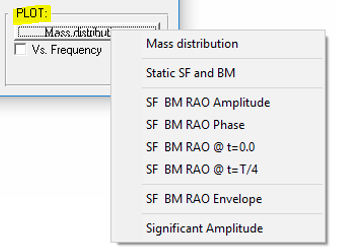
The PLOT button (on the BM & SF page) allows you to plot the following options:
Static Shear Force & Bending Moment
Shear Force & Bending Moment RAO
Shear Force & Bending Moment RAO @ t=0
Shear Force & Bending Moment RAO @ t=T/4
Shear Force & Bending Moment RAO Envelope
This is a component of the Bending Moment/Shear Force calculation utility activated from the Model Visualisation Window. To start this facility select Ship Bending/Shear from the Select menu.
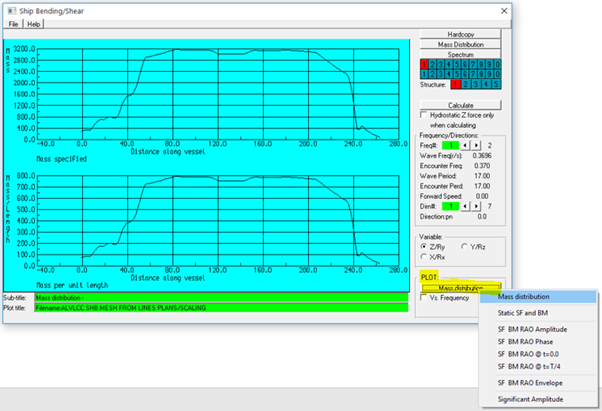
To plot the mass distribution - as defined in the .MSD file - select Mass Distribution from the PLOT button.
This is a component of the Bending Moment/Shear Force calculation utility activated from the Model Visualisation Window. To start this facility select Ship Bending/Shear from the Select menu.
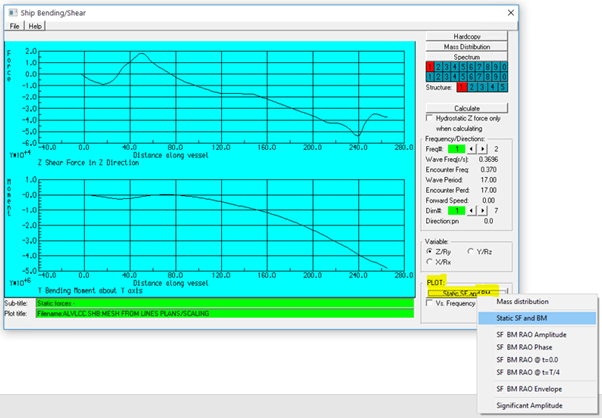
To plot the static shear force and bending moment select Static Shear Force & Bending Moment from the PLOT button.
This is a component of the Bending Moment/Shear Force calculation utility activated from the Model Visualisation Window. To start this facility select Ship Bending/Shear from the Select menu.
To plot the Shear Force & Bending Moment RAO Amplitude select SF BM RAO Amplitude from the PLOT button.
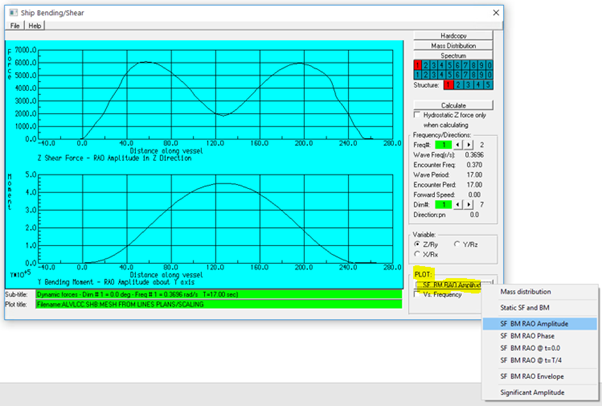
To plot the Shear Force & Bending Moment RAO Phase, select SF BM RAO Phase from the PLOT button.
This is a component of the Bending Moment/Shear Force calculation utility activated from the Model Visualisation Window. To start this facility select Ship Bending/Shear from the Select menu.
To plot the Shear Force & Bending Moment RAO at t=0.0 select SF BM RAO @t=0.0 from the PLOT button.
For example: The shear force and bending moment at t=0.0 for the specified wave Frequency#1 (0.3696 rad/s) and Direction#1 (0.0 degrees) are shown below.
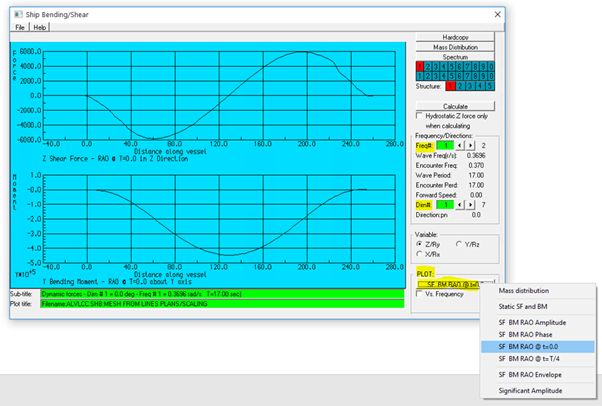
The shear force and bending moment at t=T/4 (T is the wave period) for the specified wave frequency and direction can also calculated and plotted by selecting the SF BM RAO @ t=T/4.
This is a component of the Bending Moment/Shear Force calculation utility activated from the Model Visualisation Window. To start this facility select Ship Bending/Shear from the Select menu.
To plot the Shear Force & Bending Moment RAO Envelope, select SF BM RAO Envelope from the PLOT button.
This is a component of the Bending Moment/Shear Force calculation utility activated from the Model Visualisation Window. To start this facility select Ship Bending/Shear from the Select menu.
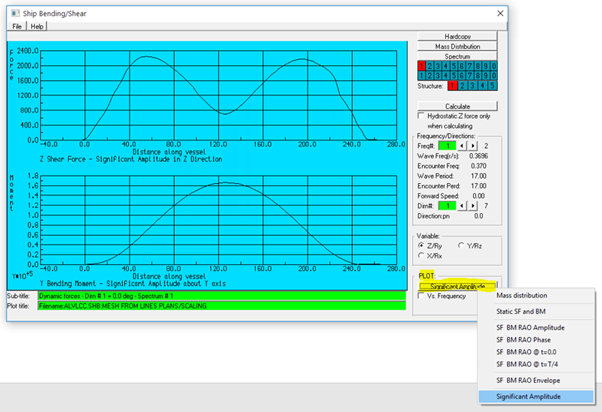
If a wave spectrum has been defined in the imported .RES file, or defined in Wave/wind Spectra from the AGS Edit menu – Environment – Spectra, the significant amplitudes of shear force and bending moment along a specified ship direction can be calculated and plotted.
To plot the Significant Amplitude select Significant Amplitude from the PLOT button.
E.g.