


In this step, we will set up for element clustering. Note that the actual generation of element clusters is not performed in the wizard; we will generate clusters after we finish the wizard.
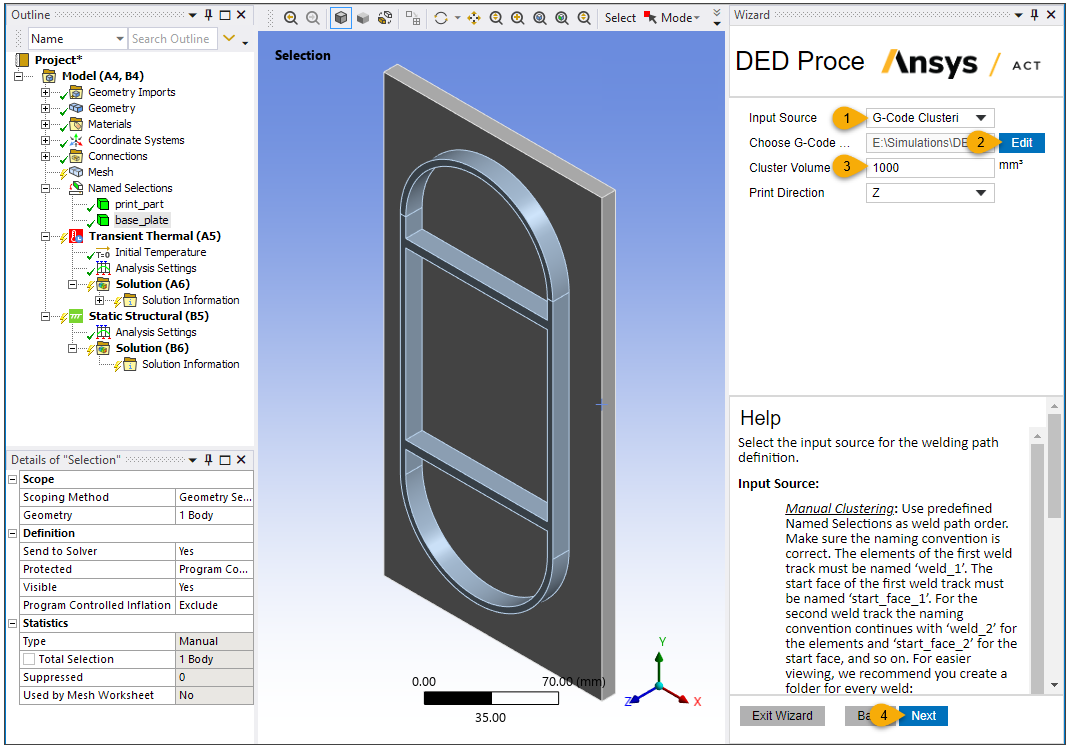
Choose G-Code Clustering for Input Source because we have a G-Code file defining the tool path.
Click Edit and browse to the DED_Racetrack_G-Code.txt file. Click Open.
Enter 1000 for Cluster Volume. This value determines how many elements are activated per load step. The time for this load step is then determined by volume/deposition rate. A smaller cluster volume tends to provide a more accurate result. Based on the overall dimension of the build geometry, this value should be determined by balancing the computational cost and desired accuracy.
Keep Z (default) for Print Direction.
Click Next to move to the next step.
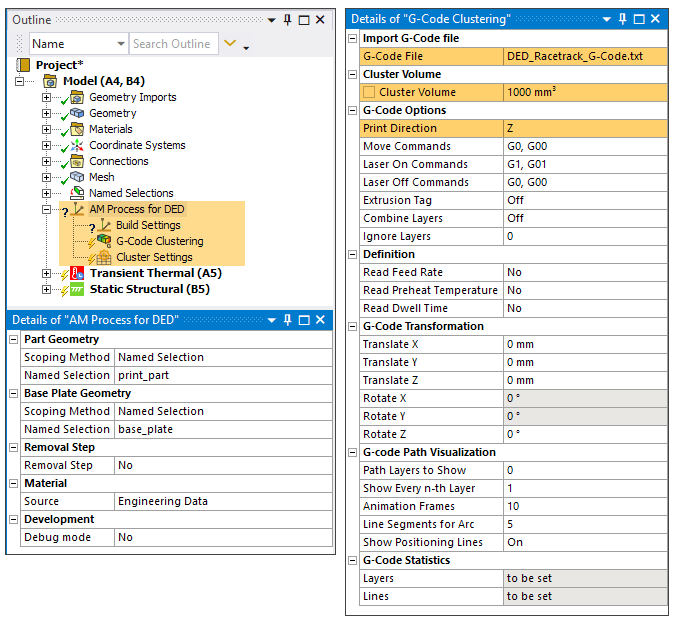
In this step, the AM Process for DED object and its child objects are added to the project tree. AM Process for DED establishes the options and assumptions appropriate for a DED simulation.
See the following topics in the DED Simulation Guide for additional information: