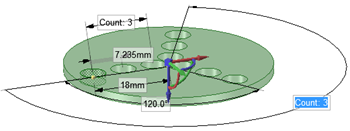
Creating a Radial Circular Pattern
- Select all radial pattern members.
-
Click the
 Move tool.
- Re-anchor the Move tool on the circular axis.
- Select the Create patterns check box in the Options panel.
- Drag the radial pattern to form a circular pattern.
Example: