


You can monitor the progress of jobs that you have submitted to RSM by displaying the Job Monitor in Workbench. The Job Monitor provides a live view of what is happening in RSM with regard to the current Workbench project.
To display the Job Monitor, select > , or click  on the status bar.
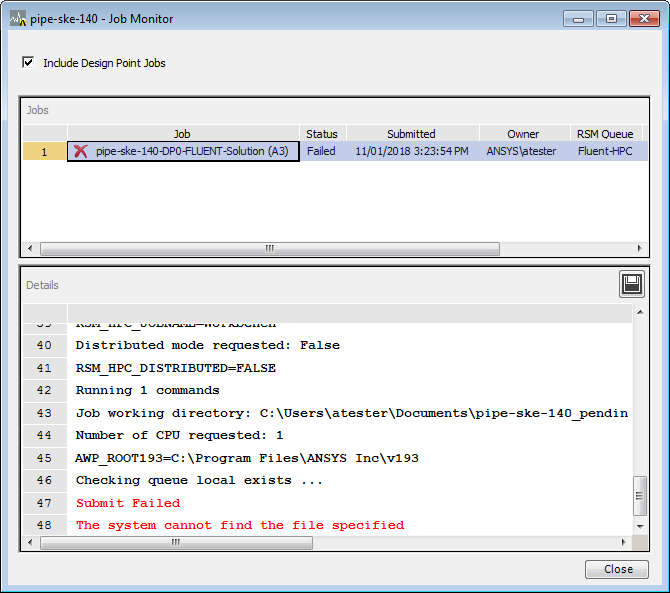
If a job fails, click on the job in the Job Monitor. The RSM job log is displayed in the monitor's lower pane:
To save the job log so that it can be shared with support staff:
Click
 in the lower pane.
Accept or specify the save location, filename, and content to include.
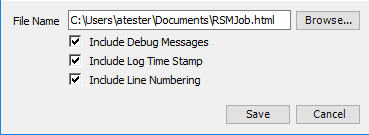
Click .
Note: If for some reason Workbench closes or becomes inaccessible, you can monitor your jobs using the RSM Job Monitoring application that is included in every RSM installation. For more information, see RSM Job Monitoring in the Remote Solve Manager User's Guide.