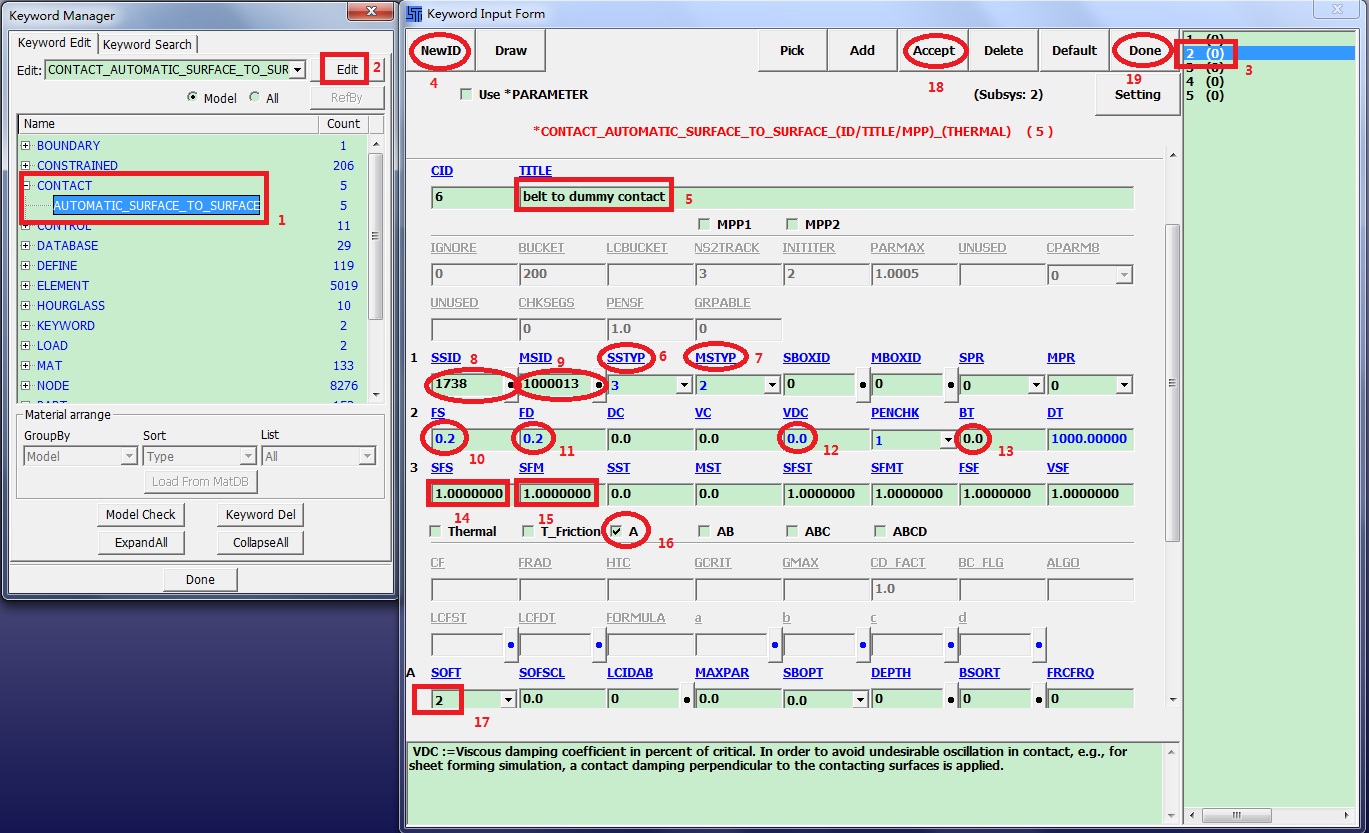
FEM > Model and Part > Keyword Manager.
Select [*]AUTOMATIC_SURFACE_TO_SURFACE.
Click .
Select 2 in the right box.
Click in the Keyword Input Form.
Enter TITLE:
belt to dummy contact.Select SSTYP = 3.
Select MSTYP = 2.
Click the SSID link button (dot).
Select 1738 in the Link PART dialog.
Click in the Link SET dialog.
Click the MSID link button (dot).
Select 1000013 pelvic and torso in the Link SET dialog.
Click in the Link SET dialog.
Enter FS = FD =
0.2.Enter VDC = BT =
0.0.Enter SFS = SFM =
1.0.Activate A.
Select SOFT =
2.Click .
Click .