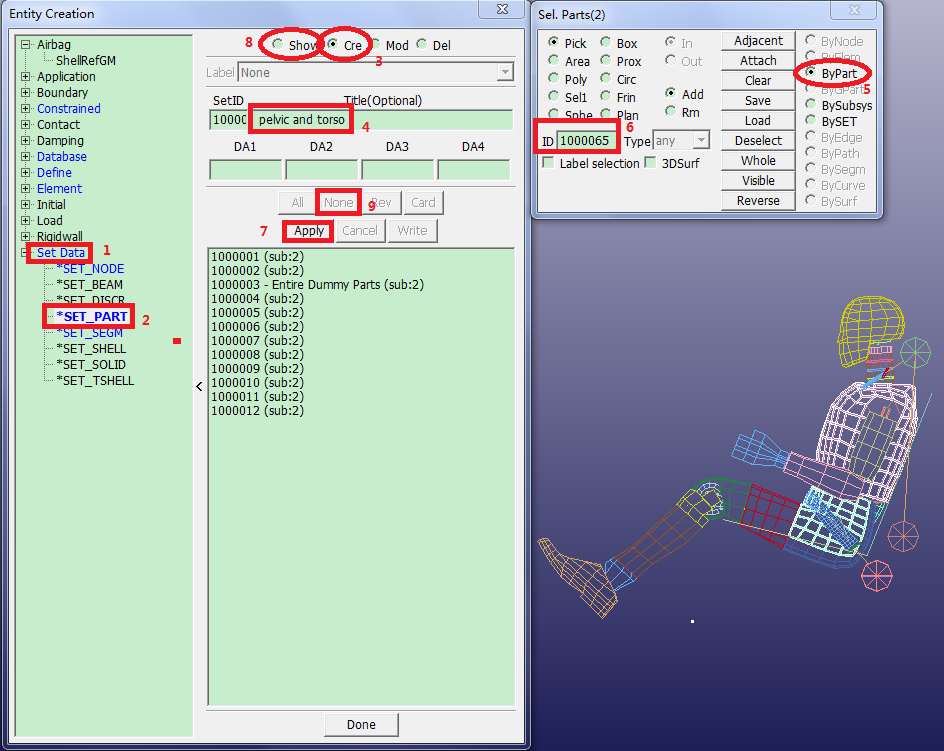
FEM > Model and Part > Create Entity.
Note: When leaving the Dummy Positioning interface, the software prompts you to save occupant changes to the database - click .
Choose set type *SET_PART.
Select Create.
Enter Title:
pelvic and torso.Select ByPart in gen select panel.
Enter ID
1000058,1000065and press Enter on the keyboard.Click .
Select Show.
Click .