


The material property data form is a generation and editing tool for Aqwa material properties. All materials within a loaded model can be viewed and edited from within this form. You may also create a new material property data set (no pre-loaded model required).
Note: Each structure must have its own material property data set.
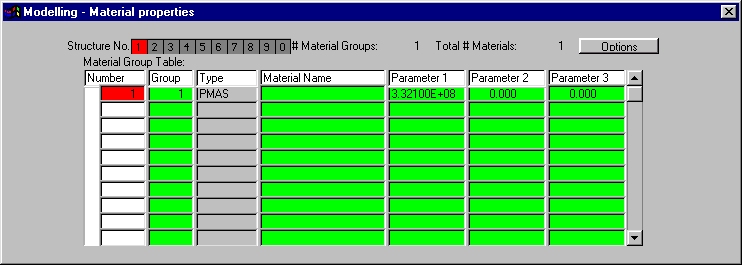
The form allows the user to edit material property data for multiple structures using either the material generation button and/or by directly editing the material data within the material group table.
Note: It is not possible to define or modify the material Type from this form.
Three panels appear on the form:
Material Summary and Structure Selection - structure number, etc.
Material Group Table - direct editing of material property data
Material Generation - generation of materials
This panel displays the selected structure, the total number of material properties for the selected structure and the total number of material properties in the system.

The material property details for the selected structure in this panel will be displayed in the Material Group Table.
The material property details for the structure selected in the Structure Selection panel will be displayed here. Information in this panel may be altered directly by clicking in a defined text field and editing the data. To add new materials click the button.

All actions for this panel are contained within the Options button, which can be used for generating new material data groups, duplicating material groups, deleting material groups, and sorting material groups.
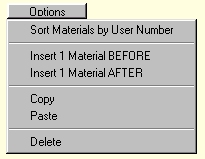
Actions will be reflected in the Material Group Table. Each material group generation will be performed on the currently selected structure.
The following options are available:
Sort Materials by User Number
Insert 1 Material BEFORE - will create a material group before the selected material
Insert 1 Material AFTER - will create a material group after the selected material
Copy - will copy the selected material
Paste - will paste a material from the copy buffer
Delete - will delete the selected material