


In interactive mode, dialog boxes enable you to provide input for various functions. The type of dialog box provided depends on the type of input required. Your input might require any of the following: text entry box, check button, radio button, option button, single-selection list, multiple-selection list, two-column selection list, a tabbed box, or a tree structure.
In a text entry box, you can enter numbers or a character string (such as a parameter name).
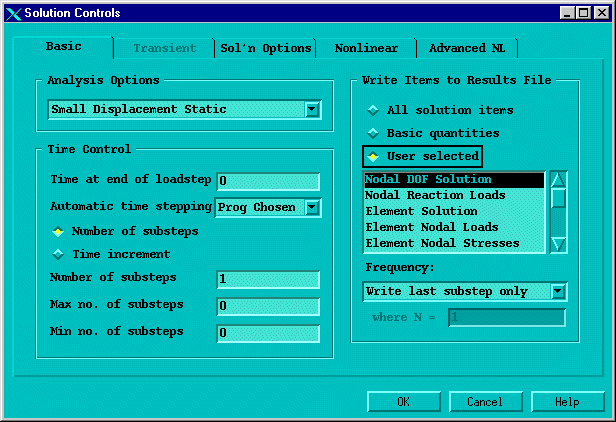
A tabbed dialog box presents groups of related commands in one location. You select an individual tab by clicking on it, or by using Ctrl+Tab to move between the tabs. Some tabbed dialog boxes require that you navigate through each tab sequentially, with later tabs "grayed out" until you complete required tasks in an earlier tab.
A tree structure presents a hierarchical flow of logical choices from major categories to specific subcategories. Select a major category by clicking on the category. Subcategories appear listed vertically and indented beneath that major category. If you select a subcategory in the same way, further subcategories are listed, and become more specific. Continually selecting subcategories yields the final item in the "branch" of the tree. At this point, instead of a categorical choice, you enter or edit data to provide specific input.
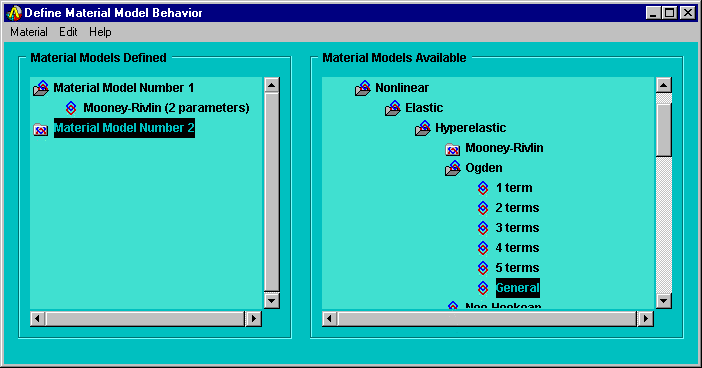
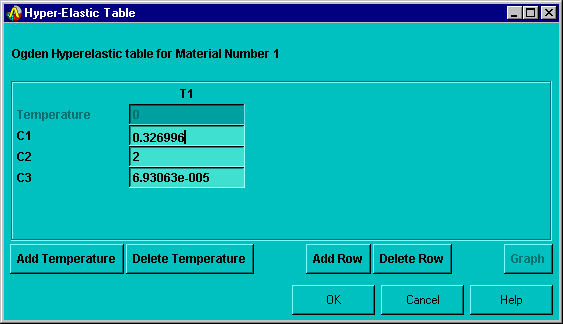
Click on the name of the final item to display a data input dialog box for entering or editing data.
In some cases, you may want to specify an input value in the form of a mathematical expression. To do so, use parentheses around individual operands in the expression, as shown:
(-111.5)+(68)
Without the parentheses, the program may interpret the expression differently than you had intended. For more information about the order in which the program evaluates an expression, see Parametric Expressions.