


Select Variables Dialog Reference
The Select Variables dialog is used for specifying which elements from the XML document should be exposed as variables to ModelCenter. This dialog can be launched via the Select Variables button on the XML Plug-In's main toolbar. Additionally, this dialog is automatically launched when the selection of an XML file for the plug-in is changed.
Views
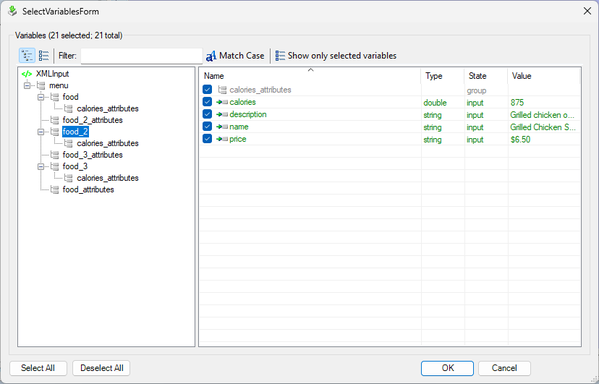
The Select Variables dialog provides two different views of the XML document: the Tree View and the List View. These views can be switched between using the associated buttons on the Select Variables dialog toolbar.
The Tree View (above) presents the contents of the XML document in a heirarchical manner, similar to the Component Tree in ModelCenter.
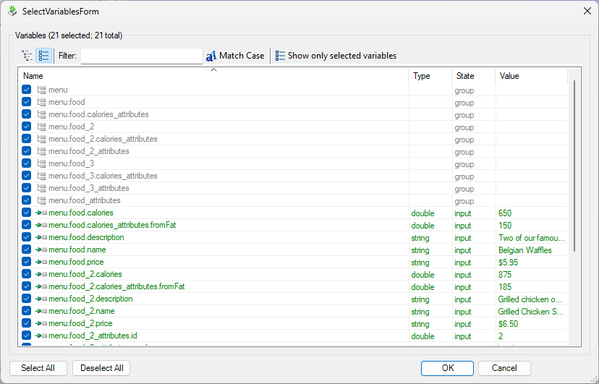
Alternatively, the contents of the XML document can be viewed as a flat list via the List View.
Filtering
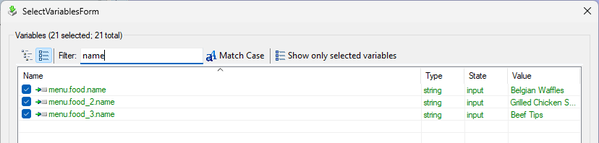
In either view, the contents of the XML document can be filtered to show only variables whose names contain a specific string. To filter the contents of the current view, simply enter a filter string into the Filter textbox on the toolbar.
Show Only Selected Variables
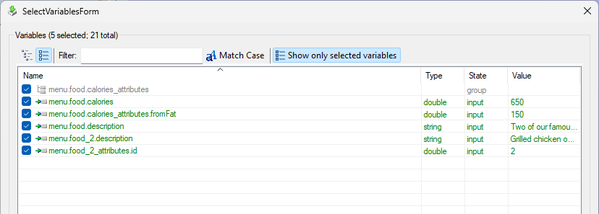
When there are many variables within an XML document, it can be difficult to keep track of which variables have been selected for exposure to ModelCenter. Clicking the Show only selected variables button can be used to have the Select Variables dialog display only the variables that have been selected for exposure. Additionally, the number of variables selected for exposure and the total number of variables in the XML document can always be seen in the top-left corner of the dialog.
Saving Selections
When the Select Variables dialog is closed via the OK button, any changes to the selected variables will be reflected in the Variables Pane of the XML Plug-In's main interface.