Orthogonal View button - Rotates the view to a front
view orientation.
Front View button - Rotates the view to a front view
orientation.
Side View button - Rotates the view to a top view
orientation.
Top View button - Rotates the view to a top view
orientation.
Reset View button - Rotates the view to a top view
orientation.
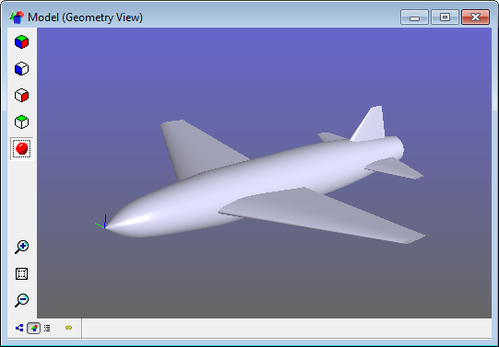
Toggle Shading button - Toggles shading on and
off.
Zoom In button - Zooms in on the view.
Zoom All button - Auto-zooms to the current contents
of the view.
Zoom Out button - Zooms out of the view.
Mouse Controls
Zoom - zoom in and out by by dragging the mouse up or down while holding the
middle mouse button. For 2-button mice, hold down both buttons. If the middle button is
a scroll wheel, scrolling up and down will zoom in and out.
Pan - pan the view by dragging the mouse while holding down the right mouse
button.
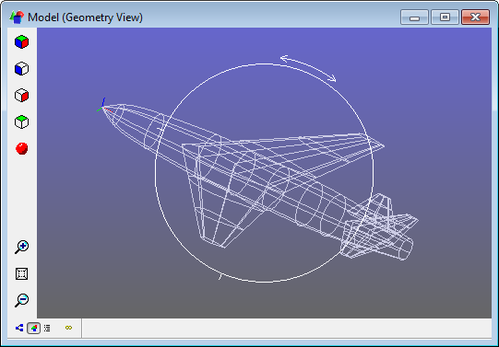
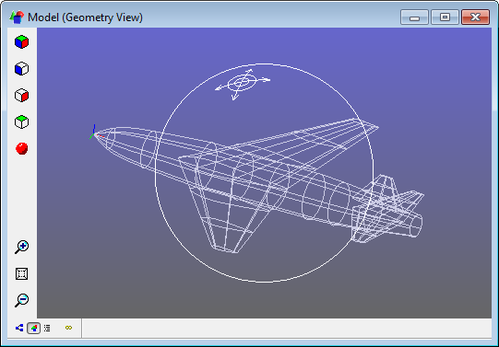
Rotate - Hold down the left mouse button while in the Geometry View, and a
"trackball" appears. When the cursor is inside the trackball, the view will rotate as if
you were rolling the trackball in the direction you drag the mouse. When outside the
trackball, the view will spin clockwise or counterclockwise as you drag the mouse.


 button - Rotates the view to a front
view orientation.
button - Rotates the view to a front
view orientation.  button - Rotates the view to a front view
orientation.
button - Rotates the view to a front view
orientation. button - Rotates the view to a top view
orientation.
button - Rotates the view to a top view
orientation.  button - Rotates the view to a top view
orientation.
button - Rotates the view to a top view
orientation. button - Rotates the view to a top view
orientation.
button - Rotates the view to a top view
orientation. button - Toggles shading on and
off.
button - Toggles shading on and
off. button - Zooms in on the view.
 button - Auto-zooms to the current contents
of the view.
button - Auto-zooms to the current contents
of the view.  button - Zooms out of the view.