


Workflow Views
ModelCenter has two distinct views (perspectives) of a workflow: the Analysis View and the Geometry View.
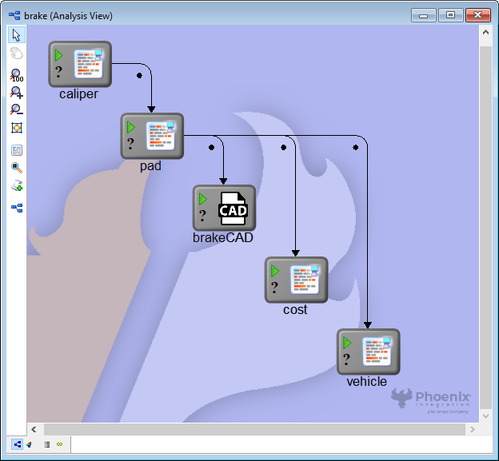
The Analysis View provides a high-level schematic of the workflow's data flow. Each Analysis Component in a workflow is represented by an icon in the Analysis View window. Components can be moved within the view by dragging them with the mouse. Whenever two Components are linked together, an arrow extends from one Component to the other, showing the direction of data flow. This representation provides a high-level view of the workflow and provides feedback on components as they execute.
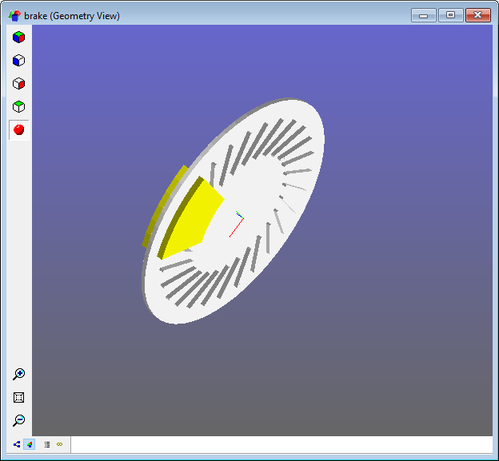
The Geometry View displays a geometric representation of the workflow. Any components that have geometry associated with them are displayed here. Not all workflow have geometry associated with them. When there is no associated geometry, this view will appear blank.