Additional information for Attributes
In addition to the data value that is stored for an Attribute, additional information about the provenance of the information can also be stored.
Quality ratings
If a quality rating has been specified for a data value, the quality rating system name and the value assigned to that data point will appear on the datasheet.
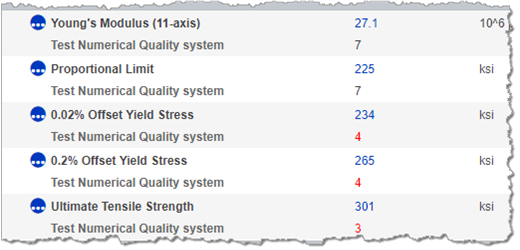
The display of quality ratings on a datasheet can be turned on and off.
Estimated flags
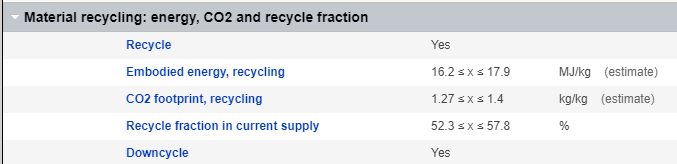
Values can be flagged as estimated, for example, where it was not possible to obtain data from authoritative sources. Estimated data values are identified on datasheets by "(estimate)" after the unit.
'Not Applicable' flags
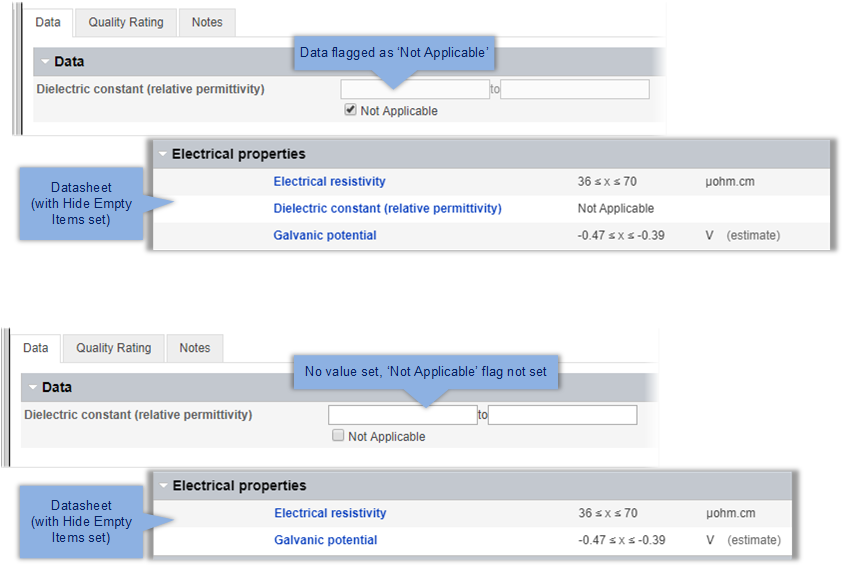
A Not Applicable flag may be
used to allow missing data to be distinguished from data that is simply not applicable in a
specific record, in datasheets and in searches.
Where the Not
Applicable flag set for an Attribute in a record, Not Applicable
is displayed in place of a value on the datasheet (in Summary and Full views). Attributes
flagged as Not Applicable will be visible on the datasheet even when empty
items are hidden.
For example, the Attribute Dielectric Constant can be set to
Not Applicable for some electrical conductors (for example, metals), since
the dielectric constant is only relevant for electrical insulators.
When
searching records, you can choose whether Not Applicable values are
considered in searches or not.
Version information
In an Unreleased version-controlled record,
 next to a data value on a
datasheet indicates that the data value in the Unreleased record differs from the data
value in the released version.
next to a data value on a
datasheet indicates that the data value in the Unreleased record differs from the data
value in the released version.
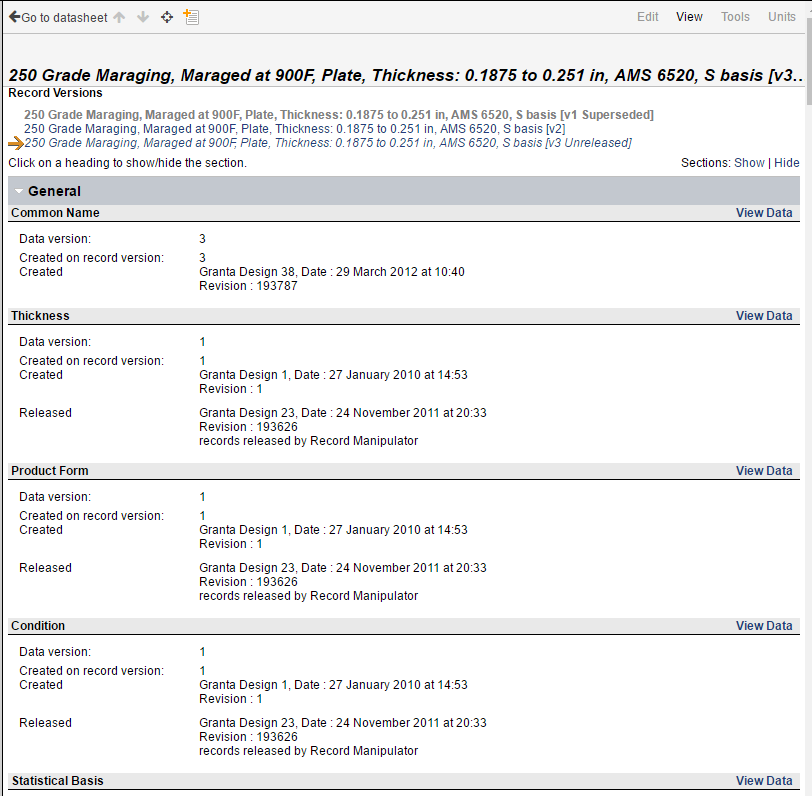
To view the version history of a record and of the data in the record, on the datasheet, select . For example: