Viewing Favorites Lists
The panel on the left of the MI Favorites window shows all of the Favorites Lists available to you. Here you can see personal lists that you have created, and published lists that you can subscribe to.
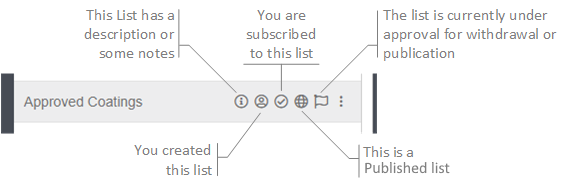
Status indicators provide information about each list:
To open a Favorites List:
-
Find the list you want to view in the left-hand panel. You can search for lists by
name, and filter the list using the following options:

Show Favorites Lists that you created 
Show Favorites Lists that you are subscribed to 
Show published Favorites Lists 
Show Favorites Lists that are currently awaiting approval for publication or withdrawal. List Publishers can see all lists awaiting approval, other users only see the lists they have created that are waiting for approval. -
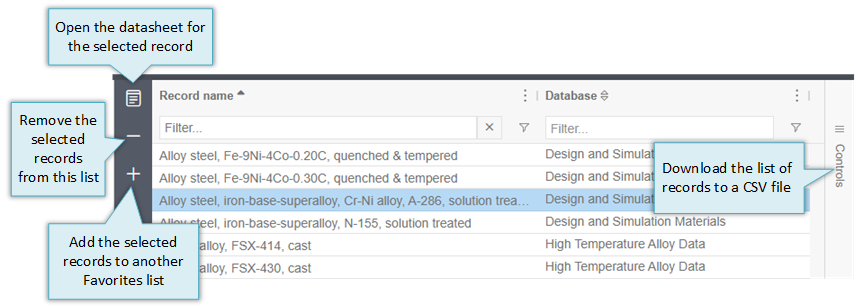
Select a list to see the records it contains in the main panel and access list
management options: