Exercise 3: Selection with a Custom Subset
You can define which records and properties are used in a selection project by creating a custom subset.
The Granta Selector databases are supplied with a range of standard subsets (e.g. All bulk materials, Metals, Magnetic materials) which enable users to restrict their material selection to certain material groups within the database. The Custom Subset feature enables you to define your own subsets.
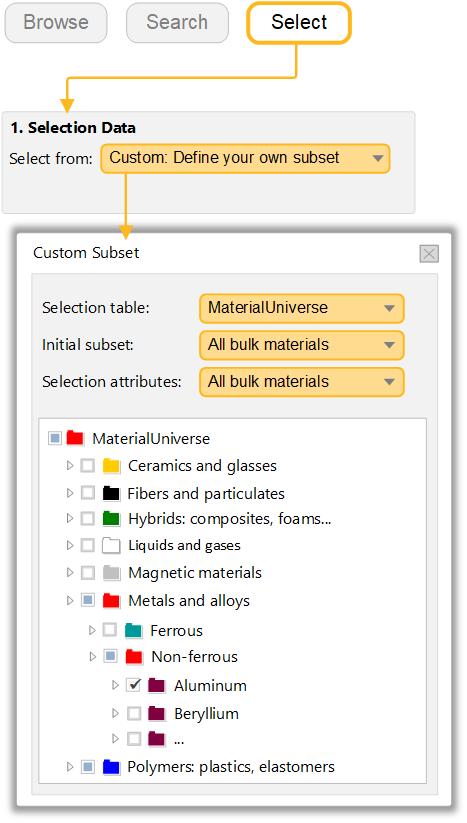
In the Select from list, choose Custom: Define your own subset.
Select Aluminum and Plastics and click Apply, then check that the bubble chart updates.
In the Custom Subset dialog, use the check boxes to include or exclude records and folders.