Exercise 2: Browse Materials
Navigate the Browse tree to search for material folders and records.
-
Select the Table:
MaterialUniverse and the Subset:
All materials.
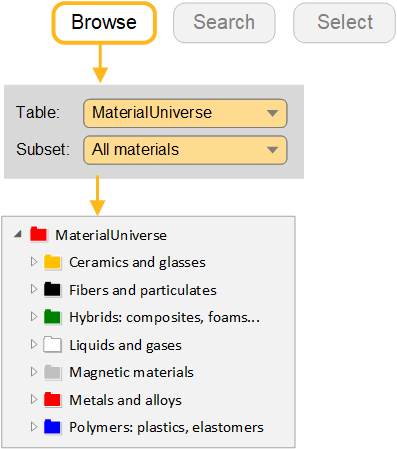
-
Browse for a record for Concrete
Generic records are records at the folder level and give general information on the material, rather than data on a specific variant. They have their own icon:
 .
. -
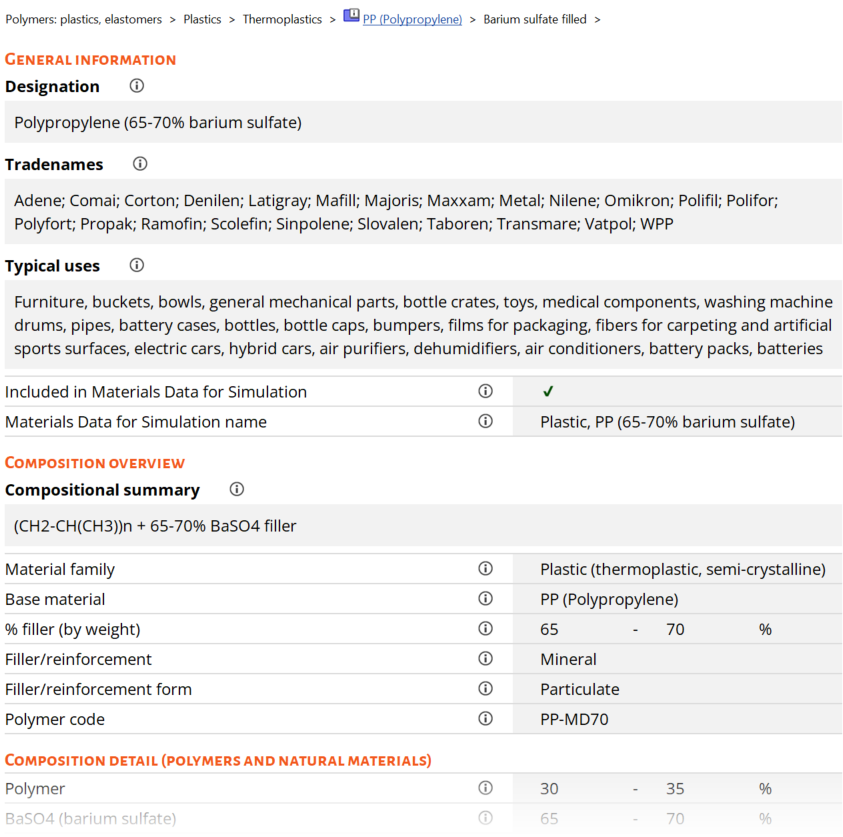
Open a specific Polypropylene record
Double-click the record name in the tree to view the datasheet.
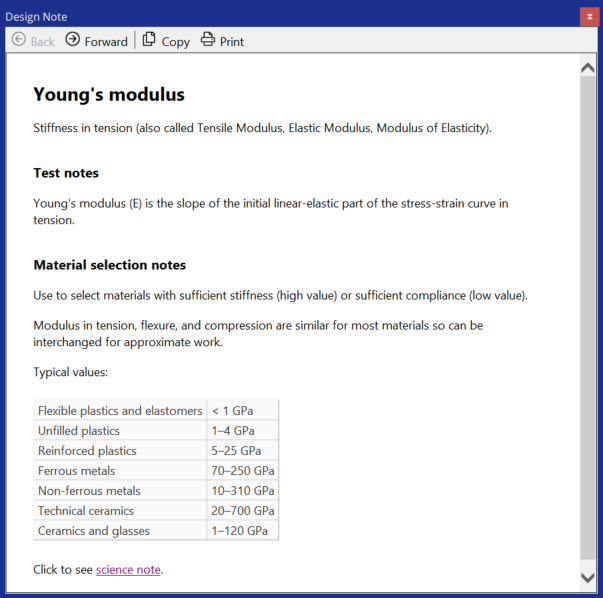
Click
 next
to the property name to view design notes, which provide background
information on properties, test notes, and selection guidelines. For more
information on the underlying science, follow the hyperlink to the Science
Note.
next
to the property name to view design notes, which provide background
information on properties, test notes, and selection guidelines. For more
information on the underlying science, follow the hyperlink to the Science
Note.Right-click the datasheet to see a menu with further actions e.g., locate the record in the Browse tree, copy the datasheet, print the datasheet, or export the data to an FE package format.
Find processes that can shape Polypropylene using the ProcessUniverse link at the bottom of the datasheet
-
Find processes that can shape Polypropylene using the
ProcessUniverse link at the bottom of the datasheet
Part of a datasheet for a filled polypropylene material:
The design note for Young’s modulus: