Exercise 1: Favorite records
You can highlight your favorite records, for example your company's preferred materials. This allows you to easily identify records in a selection project.
-
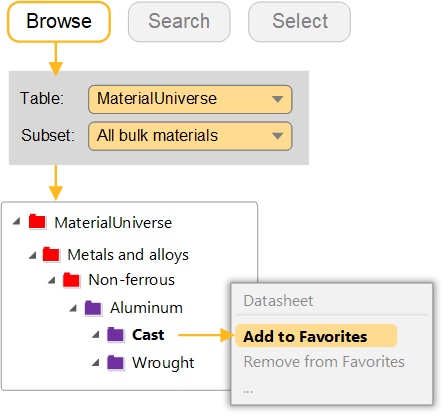
Browse to the Cast Aluminum folder and add the folder as a
favorite
Right-click the folder name and select Add to Favorites. This will add the folder and all records within that folder to favorites. On the Browse tree and data labels, any favorite records are marked with a star.
-
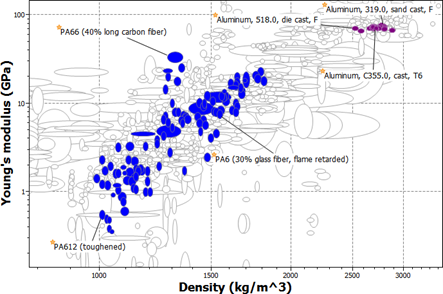
View your favorites on the chart
Click
 Highlight favorite records. All
the materials that are not favorites are grayed out. Add labels to some of your
favorites.
Highlight favorite records. All
the materials that are not favorites are grayed out. Add labels to some of your
favorites.