


Choose your profile
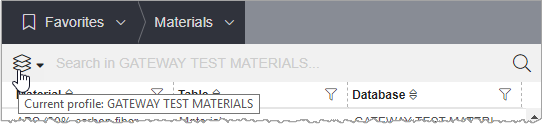
Profiles are collections of data targeted to particular user groups or tasks (for example, all materials that have been approved for a specific purpose). If you have access to more than one profile, you can choose which one to view in MI Materials Gateway.
A profile may represent a single database, or may include data tables from different databases. They filter the records that you see when browsing or searching, to help you find relevant data more quickly.
Note: Your profile does not affect the data that you see in any of the following locations:
- Favorites Lists
- Lists of related records (such as processes, surface treatments, colors, or simulation records linked to a material)
- Materials that can be imported from a Bill of Materials file
- Data assigned to a part, body, or component
- Imported material cards
To view or change your profile:
- Go to .
-
Alternatively, view your profile from anywhere you can see the Quick Search bar, then:
-
Click
 to the left of the Search
bar:
to the left of the Search
bar:
-
Click