Restricted Substances analysis and reporting
Where the optional MI Restricted Substances package is installed on your Granta MI system, you can access some additional features in MI Viewer to help you risk assess your in-house materials and specifications, and identify compliant materials.
Searching the Restricted Substances database
Click the Substances option on the MI Viewer toolbar to open the Restricted Substances: Risk assessment page, where you will find a number of useful, preconfigured search queries.
- Use the pre-defined queries under the Materials Management, Products and Parts Management, and Specification Management headings to find materials, articles, or specifications that may be linked to substances that are at risk.
- Under EU REACH Risk Assessment, perform searches of MaterialUniverse, ProcessUniverse, and Coatings data to help you understand where restricted substances on the EU REACH Candidate List or SIN 2.1 (Substitute It Now!) list may be found within your organization.
Your search results can be added to the Record List and then used with the standard reporting, charting, and exporting features of MI Viewer.
Analysis reports
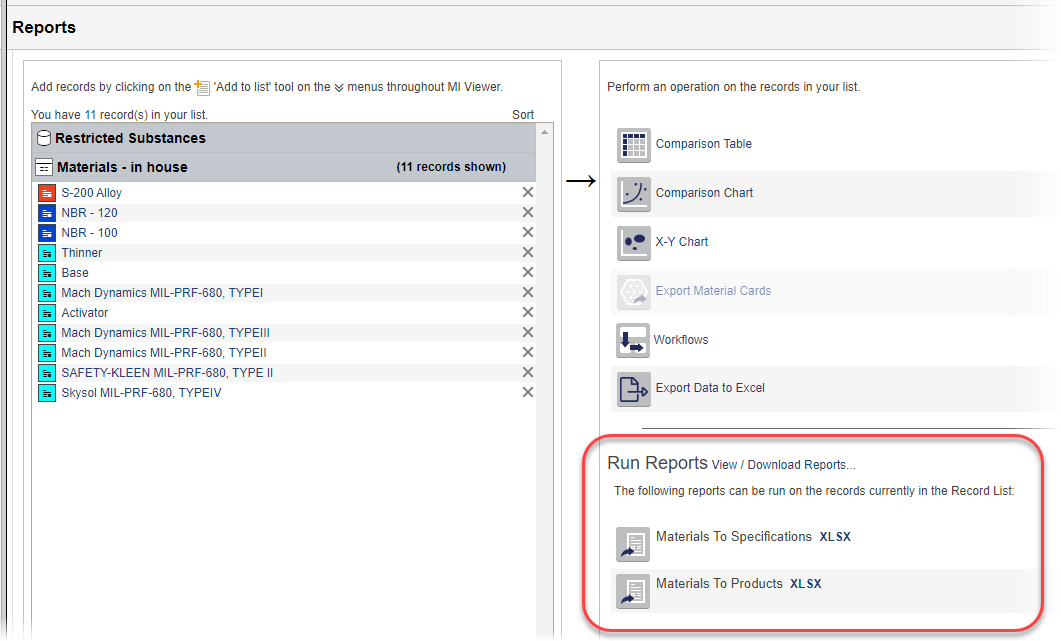
Analysis reports that may be used to analyze restricted substance risks in the materials or substances in your Record List are available on the Reports page.