Programmatic access to Elasticsearch from Granta MI is secured using an API key.
-
On your Elasticsearch server, open the Kibana web application in a browser
(
http://localhost:5601) and log in using the elastic
user credentials.
-
Open the main menu, scroll down and click Management,
then under the Security heading, click API
keys.
-
Click Create API key.
-
Specify a key name, for example,
mi_all.
-
Select Restrict Privileges then remove the sample JSON
and replace it with this:
{
      "mi_all": {
          "cluster": [
              "monitor",
              "manage_pipeline"
          ],
          "indices": [
              {
                  "names": [
                      "mi_*",
                      "is_*",
                      "isdb_*",
                      "al_*"
                  ],
                  "privileges": [
                      "all"
                  ]
              }
          ]
      }
}
-
Click Create API Key.
-
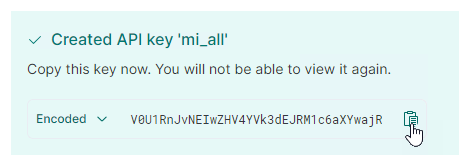
Copy the API key information in Encoded format and paste
this into a text editor as well. This is the format required for adding the API
key on your MI application servers.