Adding an index line
You can add one or more selection lines that can be used for ranking materials, or just for display purposes, in the Chart Stage tab.
-
In the chart stage toolbar, click
Index and Display
Lines.
- Enter a Slope value to specify the gradient of the line. For a vertical index line, click Vertical.
-
Specify what you want the line to do:
- Select Maximize the index to select only those materials that optimally maximize performance: materials above/on the right of the line are selected.
- Select Minimize the index to select only those materials that minimize the index: materials below/to the left of the line are selected.
- To add a display line that does not perform any selection, select Show line for display only.
- Click OK.
- Click the chart where you want to place the line.
-
Repeat steps 1 through 5 for additional index and/or display lines. The records
that fail the selection will be plotted in gray. Record labels of failed records
will also turn gray.
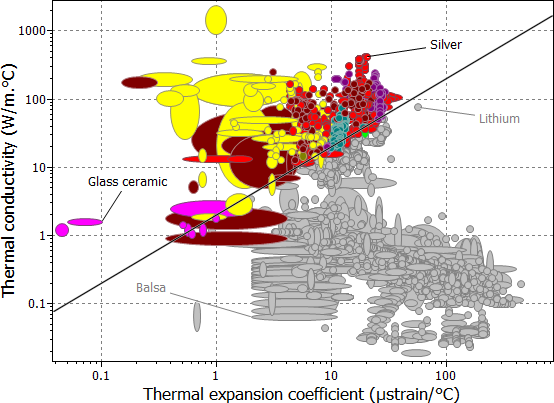
This index line selects materials that maximize the thermal stability performance index (λ/α).