Changing security group mappings
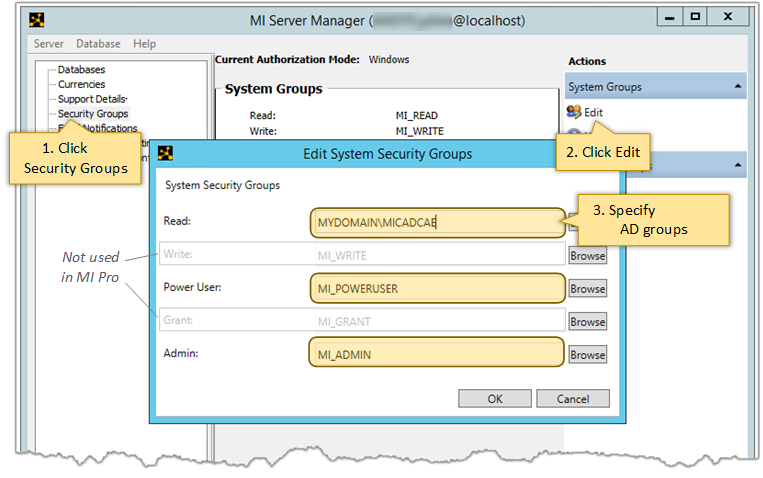
Use the MI Server Manager tool to view and modify the default system security role/AD group mappings on your Granta MI Pro application server.
For example, you may wish to map roles to domain groups instead of the default local AD group.
Note: Take care not to unintentionally lock yourself out of the system
by mapping the Admin security role to an AD group of which you are not a
member.
To view and edit the mappings, open MI Server Manager and go to the Security Groups page: