


Adding and removing databases
The MI Server Manager tool can be used to add and remove MI Pro databases, upgrade database schemas, and monitor the status and availability of the databases in your Granta MI Pro system.
In the MI Server Manager tool, click Databases.
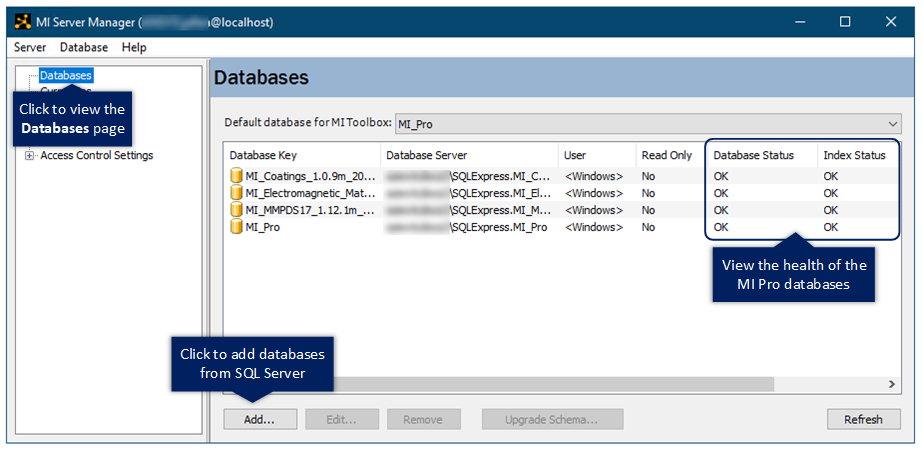
The following information is shown on the Databases page:
| Column | Description |
|---|---|
| Database Key | The database key used to uniquely identify the database within Granta MI Pro. This should not be changed from the default value. |
| Database Server | The database server name, SQL Server name, and database name. |
| User | The method used by MI Server to access the database server. This will be <Windows> for Windows authentication, or the SQL Server login name, for SQL Server Authentication. |
| Read Only | A flag that indicates whether the database can be modified. |
| Database Status | The health status of the database. If Must Upgrade appears in this column, you need to upgrade the database schema to make it compatible with your MI Pro software version. See Upgrading all your databases. |
| Index Status | The search index synchronization status. |
| Search Index Language | This field is not used. |
Refer to the MI Server Manager application help for detailed information on resolving issues reported in the Database Status or Index Status columns.