
Inserting a Representation from a 2.0 Component
To insert a representation from a 2.0 component:
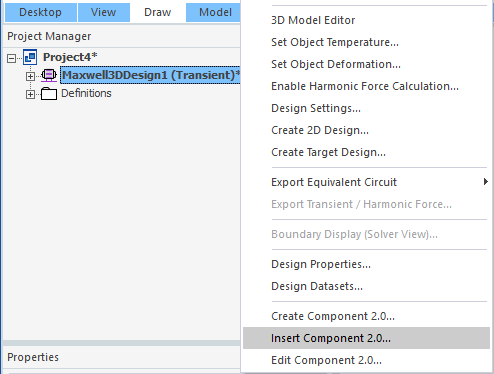
- Right click on a design in the Project Manager tree, and select Insert Component 2.0.
- In the file navigation window that opens, find the ..acmp2 component file, and click Open.
- Select the representation you would like to add to the active design, and click OK.
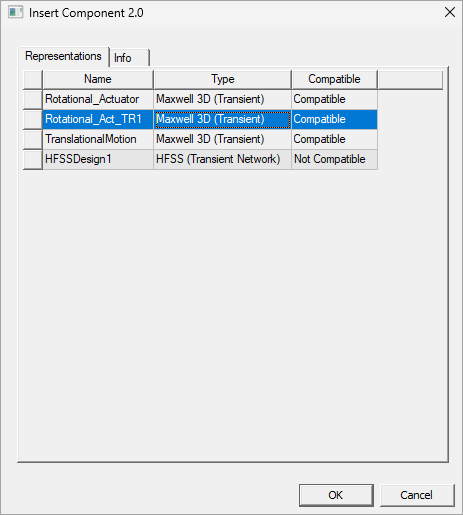
The Insert Component 2.0 window opens, as illustrated below. It opens to the Representations tab, which shows the representations contained in the 2.0 component. Each representation is listed by name and includes the type of design it is and whether or not it is compatible with the design you want to add the representation to. For example, if a Maxwell 3D transient design is active in the Project Manager tree, the Rotational_Actuator representation can be added to that transient design, but the HFSSDesign1 cannot.
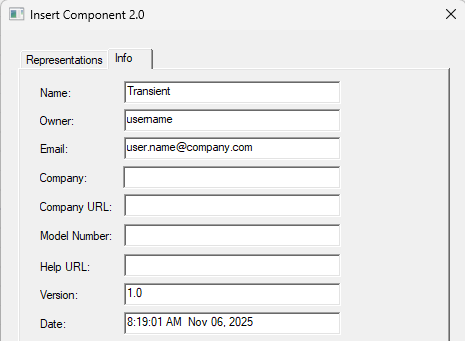
The Info tab lists the details for the 2.0 component, not the representation selected in the Representations tab:
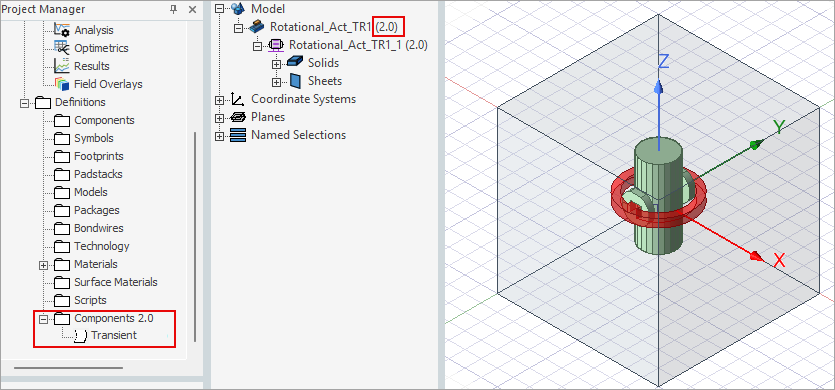
The representation has been added in the Modeler window. In the history tree, it is listed with the 2.0 label, and the Definitions folder in the Project Manager tree lists the component the representation was taken from.
Once an instance from a 2.0 component has been inserted into a project design, other instances from that same component can be inserted in the project by right clicking on the 3D Components label in the Project Manager tree or the model name in the history tree and selecting Insert Instance, which opens the Insert Instance window.
If a representation has not been encrypted, it can also be copied and pasted. If it has been encrypted, it can be moved, and multiple instances can be inserted, but it cannot be copied and pasted.