
Representations
The Representations tab lists all the design representations that have been included in the 2.0 component:
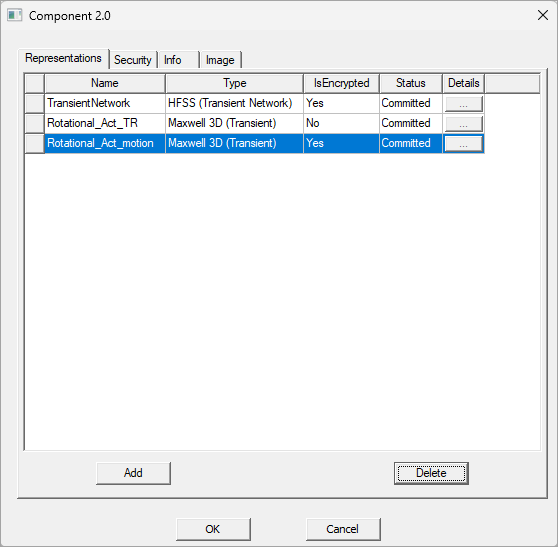
For each representation, it lists the following:
- Name: assigned in the Info tab of the Create Component 2.0 Representation window when the design was added.
- Type: solver type that was used in the creation of the original design.
- IsEncrypted: encryption status as assigned in the Encryption tab of the Create Component 2.0 Representation window when the design was added.
- Status: lists whether or not the representation has been saved to the 2.0 component (Committed). If the representation has not been added (by clicking on OK in the window), the status will be To be added.
- Details: If a representation has a To be added status, you can click on the button in the Details column to open the Create 2.0 Component Representation window for that representation; changes can be made to the representation from the window. Once a representation's status has changed to Committed, its Details button will be inactive.
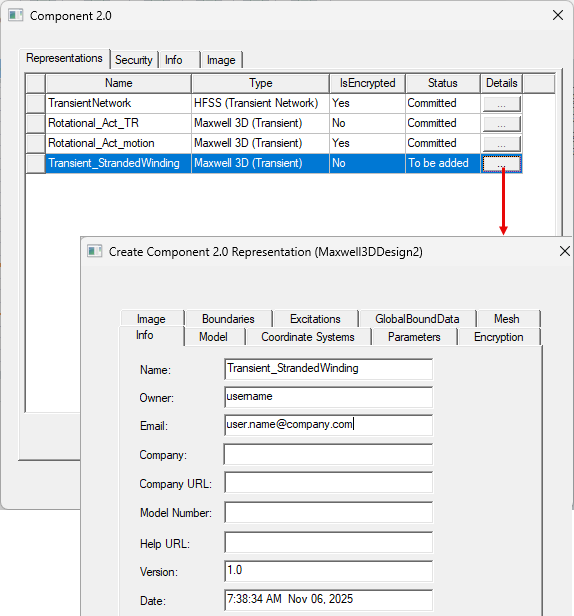
The Add and Delete buttons can be used to modify the list of representations; see Editing a 2.0 Component for more details.