
Assigning Contact Resistance Boundaries in Q3D Extractor
Contact Resistance boundaries in Q3D Extractor can be modeled as either Thin Layer or Resistive Sheet.
- For Thin Layer boundaries, the oxidation layer is modeled by having a face/sheet assigned a finite thickness (in meters) and a conductivity (in S/m). The solver takes the face and extrudes it to build a virtual prism with the given thickness. It builds the stiffness matrix for the prism and stamps it to the global matrix, then computes the potential. This is similar to Thin Layer conduction in the Maxwell DC conduction solver.
- For Resistive Sheet boundaries, the oxidation layer is modeled by having a face/sheet assigned a resistance (in Ohm). The solver imposes conductance per unit area between the potentials on the two sides of the sheet, which is 1/(resistance * contact area). This is similar to the Resistive Sheet modeling in Maxwell's magnetostatic and Eddy solvers.
When working with boundaries, assign a Contact Resistance boundary from the Contact Resistance window.
The window contains two tabs:
- Contact Resistance – assign either a Thin Layer or Resistive Sheet boundary.
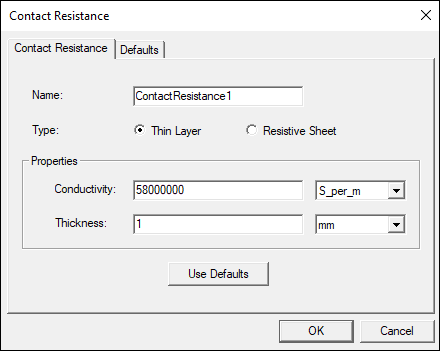
For Thin Layer, specify:
- Name – a name for the boundary.
- Conductivity – the conductivity of the thin conducting layer.
- Thickness – the thickness of the thin conducting layer.
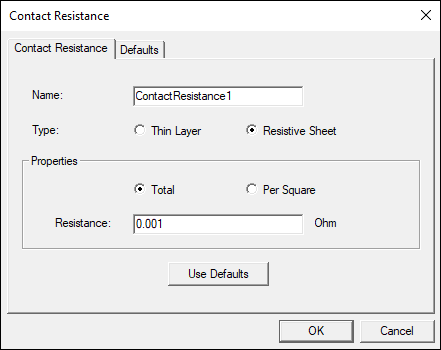
For Resistive Sheet, specify:
- Name – a name for the boundary.
- Total or Per Square – select how the resistance value should be interpreted. Total indicates that the resistance value provided is the total resistance across all assignments of this boundary. Per Square indicates that the resistance value provided is the resistance of a unit square in SI for the material used in the assigned resistive sheets.
- Resistance – the resistance value in Ohms or Ohms/square, depending on whether Total or Per Square is selected above.
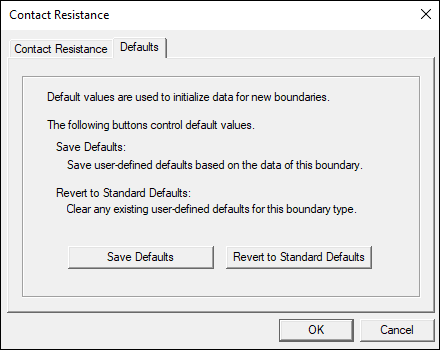
- Defaults – allows you to either save settings as defaults or restore default settings.
Additional Considerations
When a validation check is performed, Q3D Extractor checks for the following:
- The resistance/conductivity value should be greater than 0.
- The resistance/conductivity value should not be dependent on a variable.
- The assigned faces cannot overlap.
During the solution process, Q3D Extractor checks for the following:
- The sheet must have conductors touching both of its faces.
- The sheet cannot be smaller than the contacting surface.
- More than two solids sharing the same edge within the contact resistance boundary is not allowed.
The solution will be also invalidated if the resistance value is changed.