
Import an IDX File
Follow this procedure to import an Incremental Design eXchange (IDX) file.
Note: IDX import currently does not support filtering and modeling options.
- From the Icepak menu, select Import IDX.
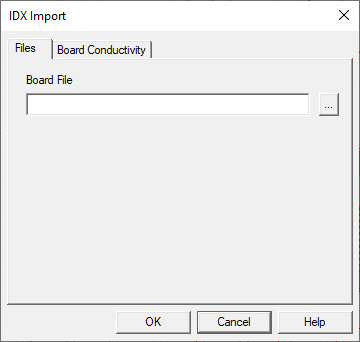
- In the IDX Import dialog box Files tab, click the button next to the Board File field.
- In the Open dialog box, browse to the location of the IDX file, select the board file, and click Open.
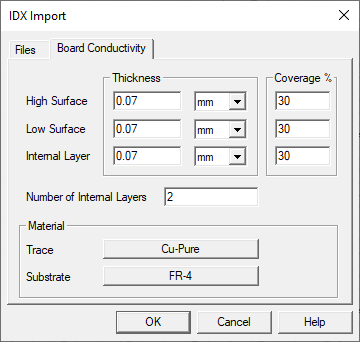
- Do the following on the Board Conductivity tab:
- Enter Thickness and Coverage% for High Surface, Low Surface, and Internal Layer.
- Enter the Number of Internal Layers.
- Assign materials for Trace and Substrate.
- Click OK to import the model.
Note:
Icepak thermal boundary conditions are automatically assigned after import based on the IDX data.